Chris_Barker
Bit poster
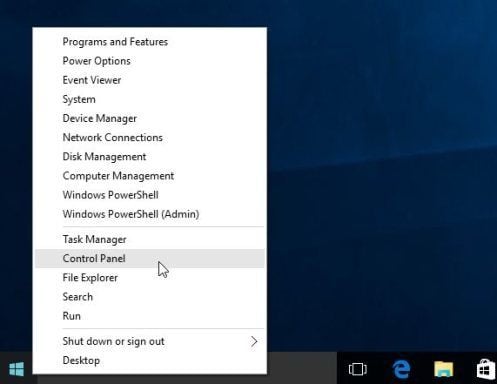
On a Windows 10 native machine, when I right-click on the start menu, it brings up a specialized system menu where I can access the control panel, services, command prompts, computer management, etc. Left-clicking the start menu brings up the standard windows 10 "programs" menu with the little blocks. I can get to this "programs" menu just fine in Parallels by right-clicking the Parallels icon.
How do I bring up the specialized system menu in a Windows 10 VM under Parallels 11?
This has probably been answered but I could not find it in the forums.
How do I bring up the specialized system menu in a Windows 10 VM under Parallels 11?
This has probably been answered but I could not find it in the forums.