Hi,
I am trying to set up a Windows 10 installation for doing Hololens2 development. see https://docs.microsoft.com/en-us/windows/mixed-reality/install-the-tools
Everything installs and sets up fine.
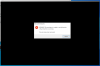
But when I run the emulator, I get the error showing in the attached image as it's trying to start up the Hololens2 OS inside the emulator.
You can see the requirements for the emulator here https://docs.microsoft.com/en-us/windows/mixed-reality/using-the-hololens-emulator , but I'm pasting them here (I have the latest windows 10 pro, so the OS requirements are met):
HoloLens Emulator system requirements
The HoloLens Emulator uses Hyper-V with RemoteFx (1st Gen Emulator) or GPU-PV (HoloLens 2 Emulator) for hardware accelerated graphics. To use the emulator, make sure your PC meets the following hardware requirements:
I am trying to set up a Windows 10 installation for doing Hololens2 development. see https://docs.microsoft.com/en-us/windows/mixed-reality/install-the-tools
Everything installs and sets up fine.
But when I run the emulator, I get the error showing in the attached image as it's trying to start up the Hololens2 OS inside the emulator.
You can see the requirements for the emulator here https://docs.microsoft.com/en-us/windows/mixed-reality/using-the-hololens-emulator , but I'm pasting them here (I have the latest windows 10 pro, so the OS requirements are met):
HoloLens Emulator system requirements
The HoloLens Emulator uses Hyper-V with RemoteFx (1st Gen Emulator) or GPU-PV (HoloLens 2 Emulator) for hardware accelerated graphics. To use the emulator, make sure your PC meets the following hardware requirements:
- 64-bit Windows 10 Pro, Enterprise, or Education
Windows 10 Home Edition does not support Hyper-V or the HoloLens Emulator.
The HoloLens 2 Emulator requires the Windows 10 October 2018 update or later. - 64-bit CPU
- CPU with 4 cores (or multiple CPUs with a total of 4 cores)
- 8 GB of RAM or more
- In the BIOS, the following features must be supported and enabled:
- Hardware-assisted virtualization
- Second Level Address Translation (SLAT)
- Hardware-based Data Execution Prevention (DEP)
- GPU requirements
- DirectX 11.0 or later
- WDDM 1.2 graphics driver or later (1st gen)
- WDDM 2.5 graphics driver (HoloLens 2 Emulator)
- The emulator might work with an unsupported GPU, but will be significantly slower