Install the app
How to install the app on iOS
Follow along with the video below to see how to install our site as a web app on your home screen.
Note: This feature may not be available in some browsers.
You are using an out of date browser. It may not display this or other websites correctly.
You should upgrade or use an alternative browser.
You should upgrade or use an alternative browser.
Windows 10 and older MacOS VMs in Parallels 15 together?
- Thread starter robbie1
- Start date

Maria@Parallels
Problem solver
Hi, yes, you can.
Please check this KB article for more info and let us know if it's not that case.
Please check this KB article for more info and let us know if it's not that case.
I have several vm's I have Win 7 and 10, Mac Mojave and Catalina and two other vm on my Mac Pro with macOs Catalina at this time. I run them separately. Issues generally occur when you don't allocate enough resources to the VMs or your actual OS.
Thanks, kat. This is what i wanted to hear


kat
Product Expert
Hi rob
Insert your usb device into your Mac with your vm running.
.
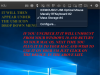
also if you are having other usb issues please see this knowledge base article if may help you: https://kb.parallels.com/en/111725
Insert your usb device into your Mac with your vm running.
.
also if you are having other usb issues please see this knowledge base article if may help you: https://kb.parallels.com/en/111725
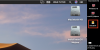
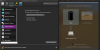
OK, i think i'll manage itHi in Configuration make sure USB 3 is enabled under advanced Settings.
View attachment 16017
 thanks
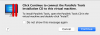
no, i get a message to install from a CD, which i don't have (it's Parallels 15 Home)...I should have asked but have you installed Parallels Tools into the Mojave VM?
BTW, a way to install & configure a printer or a scanner (it was the main reason to have this VM on my Catalina) is like a usual Mac installation, ot should i know anything more?
Attachments
kat
Product Expert
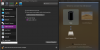
You should still be able to install doing it by having vm open along the top menu (next to the apple on your Mac) select Actions>Reinstall Parallels tools>then follow the prompts to complete the installation.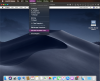
Installing any software inside of the vm is like installing it in any OS.
Installing any software inside of the vm is like installing it in any OS.
i have only 'install...', not 'reinstall...'... do i need them?You should still be able to install doing it by having vm open along the top menu (next to the apple on your Mac) select Actions>Reinstall Parallels tools>then follow the prompts to complete the installation.View attachment 16020
Installing any software inside of the vm is like installing it in any OS.
Attachments
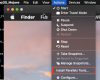
kat,Yes you need to install Parallels tools they help your VM to run properly. I get the message to reinstall Parallels Tools because I already have it installed in my VM.
the reinstallation was possible on Windows (which has repaired my MS Word from another thread - thanks for this tip
), but on Mojave it's still the CD issue.BTW, is this the same Parallels Tools as for the Mojave VM?
rob