Problem with displaying units of size

ArtePoint

Bit poster
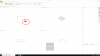
After installing the latest version of Parallels, there was a problem with displaying the size units. When creating an object in a 3d program, I have bushes instead of numbers. Has anyone encountered such a problem and knows how to solve it?
Support parallels told me to uninstall and reinstall Parallels Tools which I did, but unfortunately it didn't work.

In the attachment there is a screenshot
 

Attachments

  • Screenshot 2020-08-17 at 10.40.05.png
    Screenshot 2020-08-17 at 10.40.05.png
    99.2 KB · Views: 13
Hello, could you please share the name and version of your 3-d application.
Also could you collect the tech report data right after the issue reproduced and post the report's ID here.
Looking forward to your reply.
 
Done! Check tech report number 349952284 please.
We would like to inform you that we've escalated this issue to the Parallels Engineering team.
They are currently working on the resolution.
Once we get any news or possible workaround we will update you here or by email.
Thank you for your cooperation with us.
 
I will be waiting for information. I have to go back to version 15 now. How do I install two versions (15 and 16) on one macos? I can't to install version 15 when I already have version 16.
 
Hello guys, we would like to inform you that Parallels Desktop update 16.1.0 has been release recently.
Please update your Parallels Desktop version to the latest build and check the issue.
Please share any results with us.
 
Back
Top