
Install the app
How to install the app on iOS
Follow along with the video below to see how to install our site as a web app on your home screen.
Note: This feature may not be available in some browsers.
You are using an out of date browser. It may not display this or other websites correctly.
You should upgrade or use an alternative browser.
You should upgrade or use an alternative browser.
Gui shadows broken after upgrade to PD16
- Thread starter VladA
- Start date
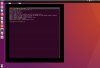
I got the exactly same issue after upgrade to from pd15 to pd16
But I found a workaround to solve which is turning off the 3d acceleration at the advanced settings inside Graphics tab.
Also I keep getting a message from PD tool to ask me log out for coherence mode, which I don't use and log out also doesn't help stop the message for each reboot.

Mine is MacBook Pro (15-inch, 2017), macOS Catalina 10.15.6
Linux ubuntu 4.13.0-45-generic #50~16.04.1-Ubuntu SMP Wed May 30 11:18:27 UTC 2018 x86_64 x86_64 x86_64 GNU/Linux
And we are using Business edition.
But I found a workaround to solve which is turning off the 3d acceleration at the advanced settings inside Graphics tab.
Also I keep getting a message from PD tool to ask me log out for coherence mode, which I don't use and log out also doesn't help stop the message for each reboot.
Mine is MacBook Pro (15-inch, 2017), macOS Catalina 10.15.6
Linux ubuntu 4.13.0-45-generic #50~16.04.1-Ubuntu SMP Wed May 30 11:18:27 UTC 2018 x86_64 x86_64 x86_64 GNU/Linux
And we are using Business edition.
Here is a workaround for now:
sudo apt install compizconfig-settings-manager
Now launch compizconfig-settings-manager, click Ubuntu Unity Plugin, Decorations tab. Enable "Override Theme Settings", now set the Active and inactive window shadow radius to 1 (minimum setting) and set the shadow x and y offset to 1 (minimum). It doesn't fix the window text but at least usable.
sudo apt install compizconfig-settings-manager
Now launch compizconfig-settings-manager, click Ubuntu Unity Plugin, Decorations tab. Enable "Override Theme Settings", now set the Active and inactive window shadow radius to 1 (minimum setting) and set the shadow x and y offset to 1 (minimum). It doesn't fix the window text but at least usable.

Maria@Parallels
Problem solver
Hello guys,
please sorry for the late response.
Could you collect the tech report once the issue reproduced and post the report ID here.
We need it for the further issue investigation.
Thanks in advance.
please sorry for the late response.
Could you collect the tech report once the issue reproduced and post the report ID here.
We need it for the further issue investigation.
Thanks in advance.
Maria@Parallels
Problem solver
Thanks a lot for your reply.Please refer to report ID 346981279
Could you update to the latest build 16.0.1. and check the issue.
If the issue still there please collect new technical report data and share report's ID with us.
Thanks a lot for your time and cooperation.
Maria@Parallels
Problem solver
Hi, please sorry for the delay in response.Yes, I am still seeing this issue in 16.0.1. Please refer to technical report 350160612.
Please add the boot flag (sent via the PM) and reply us back with the results.
Maria@Parallels
Problem solver
Thank you for your cooperation once again. We've involved Parallels Engineering Team in this case and once we get any update we will let you know.Yes, I am still seeing this issue in 16.0.1. Please refer to technical report 350160612.