Help in Organizing Legacy License Keys

Dr. Guru

Bit poster
I have multiple license keys for Parallels going back to Version 4. The computers have all died long ago. I need to figure how how to deactivate the old licenses so they can be used on different computers. There does not appear to be a method to do this, or even see what computers are licensed to what version for that matter.

Specifically, I need to deactivate all licensed computer for my Parallels 8 installation so I can install it on a Yosemite laptop as this is the only version that will work for this OS. Could you please explain the procedure.

Thanks.
 
I have multiple license keys for Parallels going back to Version 4. The computers have all died long ago. I need to figure how how to deactivate the old licenses so they can be used on different computers. There does not appear to be a method to do this, or even see what computers are licensed to what version for that matter.

Specifically, I need to deactivate all licensed computer for my Parallels 8 installation so I can install it on a Yosemite laptop as this is the only version that will work for this OS. Could you please explain the procedure.

Thanks.
Hello, for moving Parallels Desktop from old Mac to New Mac please refer to this KB article.
 
Thanks for the response, unfortunately this method does work for removing the previous Parallels 8 license that my wife has, and reinstalling it on her laptop.
 
Thanks for the response, unfortunately this method does work for removing the previous Parallels 8 license that my wife has, and reinstalling it on her laptop.
Hello, what is the error message you are getting while trying to activate the license key on new Mac. Please help us with the screenshot of the error.
 
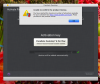
Hi - Thanks for the quick response. Here's the screenshot. This Version 8 is the one that I need reset and all previous computers (which are long dead) removed from your database. I blurred-out the product number on the screenshot since this is a public forum. Please let me know if you want me to provide it under a separate email.

Thanks
 

Attachments

  • Screen Shot 2022-03-18 at 9.24.21 AM.png
    Screen Shot 2022-03-18 at 9.24.21 AM.png
    425.5 KB · Views: 4
Hi - Thanks for the quick response. Here's the screenshot. This Version 8 is the one that I need reset and all previous computers (which are long dead) removed from your database. I blurred-out the product number on the screenshot since this is a public forum. Please let me know if you want me to provide it under a separate email.

Thanks
Hello, we have sent you a private message. Please help us with your license key over there.
 
I did not see a private message appear. Could you resend. Alternately, you can email me directly at the email address for this Parallels account.

Thanks.
 
I am having the same issue with Parallels Desktop 8. I had it installed on a machine running El Capitan just fine, but the Hard Drive failed. When I restored from a time machine,I have tried to re-activate the copy of Parallels 8 and got the same popup as reflected in the earlier screenshot. Advise??
 
I am having the same issue with Parallels Desktop 8. I had it installed on a machine running El Capitan just fine, but the Hard Drive failed. When I restored from a time machine,I have tried to re-activate the copy of Parallels 8 and got the same popup as reflected in the earlier screenshot. Advise??
Hello, kindly help us with the error message you are getting when trying to activate Parallels Desktop 8.
 
Back
Top