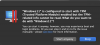
is configured to start with TPM (Trusted Platform Module) enabled but the TPM-related info cannot b

allenhuffman

Mostly Harmless.
Bit poster
Intel Mac, current Parallels.
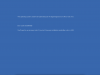
I want to do the Windows 11 upgrade, so I have added TPM to my Windows 10 image. Now when I boot, I see:
"...is configured to start with TPM (Trusted Platform Module) enabled but the TPM-related info cannot be read."
I have looked through the KB articles, but didn't find the one that addresses this. Does someone have a pointer for what I should search for? I have found no hits on this phrase.
Thanks.
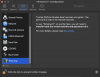
 
Same problem. Sure would like to know how to "simply" add a TPM to the VM and have it work. If you choose "Start anyway" you get a 0xc0000428 error from Windows 11 booting.
 
Intel Mac, current Parallels.
I want to do the Windows 11 upgrade, so I have added TPM to my Windows 10 image. Now when I boot, I see:
"...is configured to start with TPM (Trusted Platform Module) enabled but the TPM-related info cannot be read."
I have looked through the KB articles, but didn't find the one that addresses this. Does someone have a pointer for what I should search for? I have found no hits on this phrase.
Thanks.
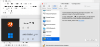
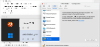
Hello @allenhuffman, Are you getting any error messages while adding the TPM? If yes, kindly share a screenshot of the error message.
 
Maybe it's worth noting that this is an insider build - perhaps that's part of the problem?
upload_2022-7-4_13-46-19.png
 

Attachments

  • upload_2022-7-4_13-46-14.png
    upload_2022-7-4_13-46-14.png
    13.3 KB · Views: 5
  • upload_2022-7-4_13-46-14.png
    upload_2022-7-4_13-46-14.png
    13.3 KB · Views: 4
Fair enough, I just prefer 'clean installs' with new OSes like that, but that's not everyone's case of course.
I guess, reading what Parallels has said about adding the TPM - it should just work and boot OK and find it and then begin working. Alas, the boot error. I can remove the TPM and it continues to work still as before. I'm thinking it's because it's an insider preview build, maybe, so for now until the next proper RTM build is released I'll have to make do without the TPM. If it still has issues then I'll consider a fresh install.
 
Same here with a Win11 ARM VM on current macOS Monterey build with Parallels Version 17.1.4 (51567).
  1. Create a fresh VM without a TPM module attached because I need to share the VM with others (with different keychain)
  2. install OS, archive it to store as a template
  3. import the VM, boot it: everything is fine
  4. Add TPM Module to VM and try to boot:
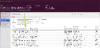
  5. "Win11ARM01" is configured to start with TPM (Trusted Platform Module) enabled but the TPM-related info cannot be read.
    What do you want to do with "Win11ARM01"?
  6. upload_2022-8-5_10-45-59.png
Is this a BUG? Adding a TPM should just work, right?

Best regards, Flo.
 

Attachments

  • upload_2022-8-5_10-45-53.png
    upload_2022-8-5_10-45-53.png
    838.9 KB · Views: 3
Log shows:
08-05 11:12:22.814 F /LocalDevices:8067:4c165/ [TPM NVS] TVNS - invalid signature
08-05 11:12:22.814 F /vm:8067:4c165/ Sending question = PRL_WARN_TPM_NVRAM_INVALID
 
Back
Top