张一普
Bit poster
I'm running Windows 11 (Build 22000.856) operate system on a virtual machine using Parallels 18.0.0 (53049) and recently having issues with completing Windows Update KB5012170, which cannot be installed successfully.
Here's what I got about system information and configuration.
Host Machine: MacBook Pro (13-inch, 2020) with Intel Chip
BIOS Mode: UEFI
Secure Boot State: On
TPM Chip: Enabled
Having tried many times of Windows Update Cleanup and clicking "retried" button, I still got the same problem, though.
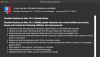
It just shows: "2022-08 Security Update for Windows 11 for x64-based Systems (KB5012170) Install error - 0x800f0922".
I looked up "KB5012170 installation issue" on Google search, trying to solve the problem myself, then I find there's someone who encountered the same situation - he was able to install KB5012170 by disabling Secure Boot in BIOS and re-enabled it after the update.
It seems that there's a solution, but how can I configure BIOS settings under a parallels VM? There's no way to simply disable Secure Boot temporarily in PD18.
Here's what I got about system information and configuration.
Host Machine: MacBook Pro (13-inch, 2020) with Intel Chip
BIOS Mode: UEFI
Secure Boot State: On
TPM Chip: Enabled
Having tried many times of Windows Update Cleanup and clicking "retried" button, I still got the same problem, though.
It just shows: "2022-08 Security Update for Windows 11 for x64-based Systems (KB5012170) Install error - 0x800f0922".
I looked up "KB5012170 installation issue" on Google search, trying to solve the problem myself, then I find there's someone who encountered the same situation - he was able to install KB5012170 by disabling Secure Boot in BIOS and re-enabled it after the update.
It seems that there's a solution, but how can I configure BIOS settings under a parallels VM? There's no way to simply disable Secure Boot temporarily in PD18.