Hi,
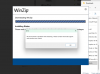
I'm hoping someone can help. I decided to get Parallels just to be able to MS Project for school. Everytime I click I try to mount the program, I keep getting the error, "Sorry, there was a problem mounting the file." The download is directly from Microsoft and I've deleted and redownloaded the file to see if that was the issue. I've tried all the various tips and tricks I found online with no luck. I assume this is unique to Parallels and I'm hoping someone can. I'm on a M2 MacBook Air with on Ventura 13.1 and Windows 11. Any workarounds?
I'm hoping someone can help. I decided to get Parallels just to be able to MS Project for school. Everytime I click I try to mount the program, I keep getting the error, "Sorry, there was a problem mounting the file." The download is directly from Microsoft and I've deleted and redownloaded the file to see if that was the issue. I've tried all the various tips and tricks I found online with no luck. I assume this is unique to Parallels and I'm hoping someone can. I'm on a M2 MacBook Air with on Ventura 13.1 and Windows 11. Any workarounds?


 /Program Files". Next double-tap that file (or open it) and you should see Setup. Double-click to open it and then it should install Microsoft Projects.