[RESOLVED] Crash of com.parallels.desktop.console.DiskUsage

CarlosM23

Bit poster
Even though I'm not running Parallels regularly on my M1 MacBook Pro, I'm seeing regular crashes of com.parallels.desktop.console.DiskUsage (example below).

I can't find why this process is running on my Mac, or how to turn it off. Any ideas?

Thanks.


```
-------------------------------------
Translated Report (Full Report Below)
-------------------------------------

Process: com.parallels.desktop.console.DiskUsage [51222]
Path: /Applications/Parallels Desktop.app/Contents/PlugIns/com.parallels.desktop.console.DiskUsage.appex/Contents/MacOS/com.parallels.desktop.console.DiskUsage
Identifier: com.parallels.desktop.console.DiskUsage
Version: 19.0.0 (54570)
Code Type: ARM-64 (Native)
Parent Process: launchd [1]
User ID: 501

Date/Time: 2023-11-15 14:28:13.3916 +0000
OS Version: macOS 14.1.1 (23B81)
Report Version: 12
Anonymous UUID: 2A3C1F5C-65B7-52A6-3F27-70DA230F26D3

Sleep/Wake UUID: 61701689-2358-4511-BEAB-1AFC3684924D

Time Awake Since Boot: 450000 seconds
Time Since Wake: 4935 seconds

System Integrity Protection: enabled

Crashed Thread: 1 Dispatch queue: com.apple.NSXPCConnection.user.endpoint

Exception Type: EXC_CRASH (SIGABRT)
Exception Codes: 0x0000000000000000, 0x0000000000000000
```
 
Even though I'm not running Parallels regularly on my M1 MacBook Pro, I'm seeing regular crashes of com.parallels.desktop.console.DiskUsage (example below).

I can't find why this process is running on my Mac, or how to turn it off. Any ideas?

Thanks.


```
-------------------------------------
Translated Report (Full Report Below)
-------------------------------------

Process: com.parallels.desktop.console.DiskUsage [51222]
Path: /Applications/Parallels Desktop.app/Contents/PlugIns/com.parallels.desktop.console.DiskUsage.appex/Contents/MacOS/com.parallels.desktop.console.DiskUsage
Identifier: com.parallels.desktop.console.DiskUsage
Version: 19.0.0 (54570)
Code Type: ARM-64 (Native)
Parent Process: launchd [1]
User ID: 501

Date/Time: 2023-11-15 14:28:13.3916 +0000
OS Version: macOS 14.1.1 (23B81)
Report Version: 12
Anonymous UUID: 2A3C1F5C-65B7-52A6-3F27-70DA230F26D3

Sleep/Wake UUID: 61701689-2358-4511-BEAB-1AFC3684924D

Time Awake Since Boot: 450000 seconds
Time Since Wake: 4935 seconds

System Integrity Protection: enabled

Crashed Thread: 1 Dispatch queue: com.apple.NSXPCConnection.user.endpoint

Exception Type: EXC_CRASH (SIGABRT)
Exception Codes: 0x0000000000000000, 0x0000000000000000
```
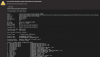
Hi Carlos,
Thanks for posting it!
Would you share when this issue usually happens?
Additionally, when this crash occurs again, would you collect a technical report while the issue is being reproduced (click Parallels icon > Help > Send technical data > check "Attach screenshots..." > press Send Report) and send the report's 9-digit ID in your reply to this post, please?
 
Hi Mikhail,
I use Parallels very rarely, and this does not happen when the app is running. I can't find any daemons launched in /Library/LaunchAgents, etc. The crash seems to happen randomly.
Could you explain why is this running, and whether it can be turned off?
Thanks!
 
Also facing the same issue - happens randomly if I'm not using the mac for a length of time and I will see the same error message.
 
Hello!
We've escalated this issue to our developers.
It'd be great if you could collect a technical report while the issue is being reproduced (click Parallels icon > Help > Send technical data > check "Attach screenshots..." > press Send Report) and send the report's 9-digit ID in your reply to this post, please.
 
Hello!
We've escalated this issue to our developers.
It'd be great if you could collect a technical report while the issue is being reproduced (click Parallels icon > Help > Send technical data > check "Attach screenshots..." > press Send Report) and send the report's 9-digit ID in your reply to this post, please.
Hi

Here is the report ID: 443269474

Rgds
 
This happens every time I am using Parallels, then stop all the VMs I am running and exit Parallels. After having exited Parallels it takes some time then the crash occurs.
See attached txt file.
 

Attachments

Hi Carlos,
Thanks for posting it!
Would you share when this issue usually happens?
Additionally, when this crash occurs again, would you collect a technical report while the issue is being reproduced (click Parallels icon > Help > Send technical data > check "Attach screenshots..." > press Send Report) and send the report's 9-digit ID in your reply to this post, please?
This happens almost predictably on my M1 Mac Mini when I wake the computer up from sleep mode, and sometimes only when the screen saver animation has been on. I think it began to happen after I installed version 18 of Parallels Desktop, and it continues today (11/28/23) in version 19.1.1 (54734).
 
I still would like to know why is there parallels software running on my machine when I'm not running parallels desktop or have any lanch agents from parallels installed.
 
I'm running Parallels v18.3.2 on an Intel Mac with Sonoma 14.1.2.
No crashes with Windows 7 Ultimate, but adding Windows 11 (with all updates) crashed the computer often.
I found that if I configured startup and shutdown of the VM to manual, the crashing stopped.
Further experimentation revealed that automatic Parallels shutdown after shutting down the Windows 11 VM caused the trouble. Apparently Windows 11 needs more time than Parallels gives it when automatic Parallels shutdown is enabled.
HTH.
God bless you and your precious family - Langston
 
Hi Mikhail:
Just upgraded to v19.2.0 and upgraded Sonoma to v14.2 and I still have crashes when using the Windows 11 Pro VM, though they are less frequent.
More work needs to be done.
My Windows 7 Ultimate VM does not cause problems.
Thanks - Langston
 
Hi Mikhail:
Just upgraded to v19.2.0 and upgraded Sonoma to v14.2 and I still have crashes when using the Windows 11 Pro VM, though they are less frequent.
More work needs to be done.
My Windows 7 Ultimate VM does not cause problems.
Thanks - Langston
Hi @LangstonH ,
Kindly open a ticket at https://parallels.com/support and collect a technical report while the issue is being reproduced (click Parallels icon > Help > Send technical data > check "Attach screenshots..." > press Send Report). Please attach its 9-digit ID when submitting a ticket and we'll try to help you with this.
Kindly post the ticket ID here once done, please :)
 
Hi, I'm on a M3 MacBook Pro and have this issue as well.

See the attached log.
Hello @MaartenM1 ,
As per the log, the crash took place when you were on 19.1.1:
> {"app_name":"com.parallels.desktop.console.DiskUsage","timestamp":"2023-12-12 09:03:47.00 +0100","app_version":"19.1.1",
Would you check if the issue reoccurs on Parallels Desktop 19.2, please?
 
Back
Top