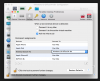
So I have a plug-and-forget usb device that will only work on Windows. I have the newest Parallels Desktop 13 and Windows 10 installed.
Obviously I want the device to stick to Windows forever, however it only works as long as I don't shutdown the Mac.
Everytime I boot the Mac on the next day, or just restart it, the device will not automatically connect back in Windows.
To make it work I either have to manually tick it in the Parallel Desktop usb devices list, or replug the device.
I already used the hold ALT to assign method, and confirmed that it is assigned to Windows10 in the usb configuation. I also tried re-assign it with no luck.
So my question is, is it a bug or is it designed this way? I understand that MacOS will catch the device first since it boot first, but shouldn't Parallel Desktop catch it when it started? Is there any solutions or workaround to this?
Obviously I want the device to stick to Windows forever, however it only works as long as I don't shutdown the Mac.
Everytime I boot the Mac on the next day, or just restart it, the device will not automatically connect back in Windows.
To make it work I either have to manually tick it in the Parallel Desktop usb devices list, or replug the device.
I already used the hold ALT to assign method, and confirmed that it is assigned to Windows10 in the usb configuation. I also tried re-assign it with no luck.
So my question is, is it a bug or is it designed this way? I understand that MacOS will catch the device first since it boot first, but shouldn't Parallel Desktop catch it when it started? Is there any solutions or workaround to this?