Bluetooth under PD 4.0

JoOppen

Bit poster
I want to use bluetooth under PD 4.0 build 3540 in oder to synchronize my mobile phone with Lotus Notes. I managed to connect the VM to the Apple Bluetooth USB Host Controller. Thereafter, I was able to carry out the first steps of mounting the mobile phone to the VM. The Bluetooth device manager found the mobile phone generated an access code which I typed into the phone and send it to the VM.

There, the problem started: the connection between the Apple bluetooth transceiver and the VM broke down and the mobile phone was disconnected from the VM. The icon in the VM's bluetooth controller next to "Apple Bluetooth USB Host Controller" disappeared but the Apple bluetooth device was not released by the VM so it was not accessible anymore until the VM was shut down.

Any hint how to avoid this problem - or how to make bluetooth work in the VM? With PD 3.0 there was no such problem.

JoOppen

My config:
MBP 2,16 GHz MacOS 10.4.11 German
PD 4.0 build 3540
No BootCamp
Win XP Pro German
 
Me too!!!

I'm having a very similiar problem with Outlook and by BlackBerry 8830. I'm **EAGER** for a solution to this problem, because this configuration was the "approved" / "recommended" solution to my problem last time:

http://forum.parallels.com/showthread.php?t=13380

Here's my configuration:

MacBook w/ Leopard 10.5.5
XP Pro SP2 in Boot Camp partition
Parallels Desktop 4.0 (Build 3540)
Verizon Wireless BlackBerry 8830
BlackBerry Desktop Manager v4.2.2.12 (on the XP system)

Thanks!!!

Nick
 
What's up?

Any progress on this issue? My BlackBerry can't be sync'ed with Outlook... I'm eager for a solution...

Nick
 
As Alex mentioned we are working on it, please wait if there are any news Alex will announce here, or there will be special announcement on forum
 
Any progress?

I was told to subscribe to this thread by one of the support team at Parallels, but it doesn't look like there's been any movement on this since April 2008. Any Parallels folks got any updates?

I've only had the problem since upgrading to Parallels Desktop 4.0. Tried installing the Bluetooth drivers from the Leopard OS X install DVD, but there appears to be a problem reading the DVD from the Windows VM.

Any help much appreciated.

Toodle Pip

Sam
 
Build 3810 not fixing it for Palm Centro

Today I downloaded and installed PD version 4, build 3810.

USB and/or Bluetooth still not working at all with my Palm Centro. It just fails a little slower.

* * *
When Windows XP tries to copy a file to the Centro's expansion card, as a USB mass storage device, the Centro dismounts and disappears with an improper put-away alert box. In the previous build of PD4, the Mac would have a kernel panic.

* * *
When the Centro tries to hotsync over USB with the Palm Desktop software, as before there is a game of, "is it enabled now... or not enabled now?" but Windows loses the device as soon as it finds it, and the Centro never can connect with Palm Desktop.

* * *
Hotsyncing over Bluetooth is impossible, because the Bluetooth radio still won't install.

Formerly, Bluetooth installation failed with this message:

The following hardware was installed:

Apple Bluetooth Driver

The software for this device is now installed, but may not work correctly.

This device cannot start. (Code 10)


After the update, the error condition has changed. Now when I inspect Device Properties for Apple Built-In Bluetooth, it gives device status as, "Reinstall the drivers for this device. (Code 18)."

But you can't reinstall the drivers, because now the Found New Hardware Wizard says:

Cannot Install This Hardware

There was a problem installing this hardware:

Apple Built-in Bluetooth

An error occurred during the installation of the device.
The required section was not found in the INF.


Apple Boot Camp is installed in version 2.1, which was the most recent as of earlier today.

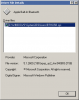
The driver File Details window is attached here FYI.
 

Attachments

  • driver-details.png
    driver-details.png
    3 KB · Views: 7
Just for test purposes , please create new VM, and try to install bluetooth, it should work, I suppose OS is somehow misconfigured if its cannot start bluetooth
 
Give up and build new VM in PD4

Thanks for your reply, John. I'll let you know what happens. This is going to take me awhile.

About the "somehow misconfigured," it must be misconfigured in a way that can't be cured by removing/reinstalling devices, updating drivers, fishing for leftover DLL files, or grooming the Registry (because I have done all of that).
 
Back
Top