Cannot boot my VM after upgrade to 13

I have tried again with version 13.0.1. Same problem. I have submitted the report ID 211735917.
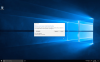
See attached screenshot of the error I'm experiencing:

View attachment 12872
Can you please execute this command in Terminal (stop the VM, shutdown Parallels Desktop) and let me know if that helped?

chmod -RN /Users/fpmalard/Documents/Parallels/AU 2015.pvm

Simply start the virtual machine after executing this command. It will reset permissions to the VM bundle.
 
Hi LeoK2

I manage to log in by reducing the Windows 10 full screen image to my working window and the log in then appears. It is getting faster. Unfortunately I have logged in so it looks as if I can't reinstall V12
This one looks like a different issue. Would you like to get Parallels Support assistance with this?
 
Did anyone else get an email for a "Free Upgrade" to PD 13? I clicked on the "Download Your Free Upgrade", download and installed, then opened up my VM. ONLY THEN did Parallels tell me that I have now started a free TRIAL of PD 13 (I have a PAID subscription to version 12) and now have to pay 49.99 in the next 14 days to continue using my VM. WHAT!?!?!?! The email clearly stated Free Upgrade. I did get another separate email saying "click here to upgrade for 49.99" which I didn't use considering I also got the "upgrade for free" email. Called tech support and they gave me 30 minute run around about how when it said "subscription users" it didn't mean "Permanent subscription users" and now I have to pay 49.99. I explained that I am a subscription user, a permanent subscription user, and used the email for the free upgrade. "subscription user" is a general term where as "Subscription" user has a different legal definition.

Tell me how the image below says it is a trial version that I will have to pay 49.99 to continue to use?? And when I opened my VM, it automatically updated the version of Parallels Tools to version 13 so I am guessing I can't downgrade back to version 12 (which has been flakey lately, very flakey). Anyone else have similar experiences??
This is probably an issue with Parallels Desktop activation. Your copy was likely activated with permanent license, but indeed you have a valid subscription. I've sent you a personal message with the activation key you need to use. Parallels Desktop menu on macOS menu bar > Account & License > Enter a key.
 
Hi Dmitry,
Any insights into this problem? I have a ticket open with support but haven't heard anything in over 24 hours.
Thanks
 
To fix the missing HDD issue (no boot disk) I did this :
1. Launch Terminal ( Finder > Applications > Utilities > Terminal).
2. Type the command chmod -RN, then drag and drop the problematic pvm to the Terminal window, so the resulting command should look like this:
chmod -RN /Users/pd-team/Parallels/Windows\ 10.pvm
3. Hit Enter/Ruturn to execute the command.
4. Start the virtual machine and check if it boots normally.
 
Tried to remove the bootcamp entry from PD13 hoping I can create a new bootcamp since the one that was working until an hour ago fails to boot suddenl.y
But
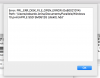
- it is not possible to create a new bootcamp
- it is not possible to re-add the removed bootcamp (see screenshot)
 

Attachments

  • pd13fail.png
    pd13fail.png
    64.2 KB · Views: 5
Tried to remove the bootcamp entry from PD13 hoping I can create a new bootcamp since the one that was working until an hour ago fails to boot suddenl.y
But
- it is not possible to create a new bootcamp
- it is not possible to re-add the removed bootcamp (see screenshot)
Hi @EdoardoL, we are aware of this issue and working on the resolution to fix as soon as possible.
 
Back
Top