cannot use Parallels hypervisor on macOS Big Sur

AlexV3

Bit poster
When I startup parallels 16 on macOS Big Sur, i get the following popup error, even after I've restarted my computer (several times).

"To start the virtual machine, please restart your Mac first. It has not been restarted after the Parallels Hypervisor System Extension was allowed"
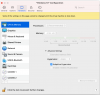
 
I had the same issue and was able to fix it by going to my Parallels folder and clicking on my WindowsVM. Then go to ACTIONS>CONFIGURE. In the CPU/Memory tab go to ADVANCED where you will see a Hypervisor drop down. Set it to APPLE rather than Paralells. Restart your MAC and it should now work for you.
 
I am also having the same error message after upgrading to Big Sur OS. Using Parallels 16.1.0 (48950). I hope tech support or another user can help with a solution soon.
 
When I startup parallels 16 on macOS Big Sur, i get the following popup error, even after I've restarted my computer (several times).

"To start the virtual machine, please restart your Mac first. It has not been restarted after the Parallels Hypervisor System Extension was allowed"
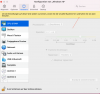
Same problem
 
I had the same issue and was able to fix it by going to my Parallels folder and clicking on my WindowsVM. Then go to ACTIONS>CONFIGURE. In the CPU/Memory tab go to ADVANCED where you will see a Hypervisor drop down. Set it to APPLE rather than Paralells. Restart your MAC and it should now work for you.
Thank you very much. Problem solved
 
Hi Guys,

How's performance with the Apple Hypervisor ?

I was under the perception that we were supposed to used Parallels' Hypervisor for best performances.
 
When I startup parallels 16 on macOS Big Sur, i get the following popup error, even after I've restarted my computer (several times).

"To start the virtual machine, please restart your Mac first. It has not been restarted after the Parallels Hypervisor System Extension was allowed"
I have exactly the same problem, cannot be fixed in Windows menue since it does not open. How to be fixed?
 
I have exactly the same problem, cannot be fixed in Windows menu since it does not open. How to be fixed?
Same here! I can't open the settings since it tells me to restart the virtual machine. But still, it stays frozen and won't allow me to change any settings. (Picture is for the german settings but you will get the picture...
 

Attachments

  • Bildschirmfoto 2020-11-30 um 21.04.33.png
    Bildschirmfoto 2020-11-30 um 21.04.33.png
    227 KB · Views: 29
Back
Top