
Install the app
How to install the app on iOS
Follow along with the video below to see how to install our site as a web app on your home screen.
Note: This feature may not be available in some browsers.
You are using an out of date browser. It may not display this or other websites correctly.
You should upgrade or use an alternative browser.
You should upgrade or use an alternative browser.
cant connect to internet with 3.0
- Thread starter bangkok
- Start date

kat
Product Expert
I have 3.0
When you have your vm slected but not running look under edit (3 rd one over from the apple top left), I want you to check which security option to go between XP and OSX and the web you need to be medium or medium high depending on the access you would like.
Next thing is to check your network connections in your VM. (I am wireless.)
It should read
local area connection
connected, firewalled
parallels network adapt
Tell me if this is how your xp is set up.
When you have your vm slected but not running look under edit (3 rd one over from the apple top left), I want you to check which security option to go between XP and OSX and the web you need to be medium or medium high depending on the access you would like.
Next thing is to check your network connections in your VM. (I am wireless.)
It should read
local area connection
connected, firewalled
parallels network adapt
Tell me if this is how your xp is set up.
Last edited:
security option is medium high
network connections in VM. (I am wireless also.)
reads:
local area connection
connected, firewalled
parallels network adapt
Tell me if this is how your xp is set up.
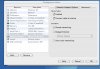
While i was in the configuration editor, i saw the emulation was set to ethernet adapter. I changed it to default adapter, and now it connects to my wireless. No sure what this is about, but i probably should have played here first.
thx
network connections in VM. (I am wireless also.)
reads:
local area connection
connected, firewalled
parallels network adapt
Tell me if this is how your xp is set up.
While i was in the configuration editor, i saw the emulation was set to ethernet adapter. I changed it to default adapter, and now it connects to my wireless. No sure what this is about, but i probably should have played here first.
thx
kat
Product Expert
I condensed information from the user manual for you
Shared Networking (NAT)
In this mode your virtual machine can access the Internet while being invisible to other computers on the network (except your Macintosh computer). This mode is recommended because it doesn't require any additional configuring. Your virtual machine will share whatever network connection your computer uses at the moment.
This mode is preferred in the following cases:
your computer accesses the Internet via a modem or another non-Ethernet device,
as a mobile user, you access the Internet from Internet cafes, hotel rooms and on flights,
you want to access the Internet in a virtual machine but you are concerned about security,
you have problems with Bridged Ethernet mode.
If your virtual machine uses the Bridged Ethernet type of connection to the network, virtual machine appears on the network as a stand-alone computer with its own IP address and network name.
Shared Networking (NAT)
In this mode your virtual machine can access the Internet while being invisible to other computers on the network (except your Macintosh computer). This mode is recommended because it doesn't require any additional configuring. Your virtual machine will share whatever network connection your computer uses at the moment.
This mode is preferred in the following cases:
your computer accesses the Internet via a modem or another non-Ethernet device,
as a mobile user, you access the Internet from Internet cafes, hotel rooms and on flights,
you want to access the Internet in a virtual machine but you are concerned about security,
you have problems with Bridged Ethernet mode.
If your virtual machine uses the Bridged Ethernet type of connection to the network, virtual machine appears on the network as a stand-alone computer with its own IP address and network name.