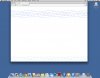
Symptoms: Any web page that is loaded in Chrome browser on the OS X guest appears distorted (see attached screen shot).
Host OS: OS X El Capitan 10.11
Guest OS: OS X Yosemite 10.10.5, OS X Mavericks 10.9.5
Parallels software: 11.0.2 (31348), 10.3.0 (29227)
Chrome version: 46.0.2490.71 (latest version)
Hardware: MacBook Pro (Retina, 15-inch, Late 2013), Model: MacBookPro11,3
Troubleshooting performed:
- Installed a clean copy of El Capitan on my Mac Book Pro, and installed the latest version of Parallels 11. Created new guest OS using DMG of Mavericks installer, and installed all OS updates. Downloaded and installed latest version of Chrome web browser. Attempted to browse to several different web sites, with all appearing distorted. Created new guest OS using DMG of Yosemite installer, but experienced the same issue. Unable to change any Chrome settings since this loads in the browser window and is also distorted.
- Uninstalled Parallels 11 using the PDRemove script posted on Parallels website. Installed the latest version of Parallels 10, and created new Mavericks and Yosemite guest OS's, but experienced the same issue.
- Turned off Automatic graphics switching on the Host OS in System Preferences > Energy Saver, but experienced the same issue.
Is there anything I can do to resolve this? Is this a known issue, and is there a fix being worked on? I did a search of the Parallels forums, but did not find any information.
I will just re-install Yosemite as the host OS on my laptop if there is no workaround or fix being worked on yet. That's not too difficult for me. However, it is still disappointing that I've paid for a 12 month subscription, and am not able to utilize Parallels in the same way I was able to with Yosemite as my host OS.
Host OS: OS X El Capitan 10.11
Guest OS: OS X Yosemite 10.10.5, OS X Mavericks 10.9.5
Parallels software: 11.0.2 (31348), 10.3.0 (29227)
Chrome version: 46.0.2490.71 (latest version)
Hardware: MacBook Pro (Retina, 15-inch, Late 2013), Model: MacBookPro11,3
Troubleshooting performed:
- Installed a clean copy of El Capitan on my Mac Book Pro, and installed the latest version of Parallels 11. Created new guest OS using DMG of Mavericks installer, and installed all OS updates. Downloaded and installed latest version of Chrome web browser. Attempted to browse to several different web sites, with all appearing distorted. Created new guest OS using DMG of Yosemite installer, but experienced the same issue. Unable to change any Chrome settings since this loads in the browser window and is also distorted.
- Uninstalled Parallels 11 using the PDRemove script posted on Parallels website. Installed the latest version of Parallels 10, and created new Mavericks and Yosemite guest OS's, but experienced the same issue.
- Turned off Automatic graphics switching on the Host OS in System Preferences > Energy Saver, but experienced the same issue.
Is there anything I can do to resolve this? Is this a known issue, and is there a fix being worked on? I did a search of the Parallels forums, but did not find any information.
I will just re-install Yosemite as the host OS on my laptop if there is no workaround or fix being worked on yet. That's not too difficult for me. However, it is still disappointing that I've paid for a 12 month subscription, and am not able to utilize Parallels in the same way I was able to with Yosemite as my host OS.