-ChristianS-
Junior Member
Hi,
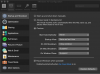
I recently bought a Parallels Desktop 14 license. Prior to that, I installed the test version and installed a Windows 10 VM, which I would like to keep. However, with the test version I activated the automatic rollback mode which asks every time when I shut down the VM if I want to revert or not. After activating my home edition license, the machine still is in automatic rollback mode and I am not able to deactivate it. I don't want to setup everything gain because this already took some time. So, how can I deactivate the rollback mode in my Parallels "home edition"?
Regards,
Christian
I recently bought a Parallels Desktop 14 license. Prior to that, I installed the test version and installed a Windows 10 VM, which I would like to keep. However, with the test version I activated the automatic rollback mode which asks every time when I shut down the VM if I want to revert or not. After activating my home edition license, the machine still is in automatic rollback mode and I am not able to deactivate it. I don't want to setup everything gain because this already took some time. So, how can I deactivate the rollback mode in my Parallels "home edition"?
Regards,
Christian