Mac network slow since install

ChrisA

Junior Member
Hi,

I have two Macs one with Parallels 3 one without. Since installing Parallels the Mac with Parallels takes about 10 seconds to connect to our server (every time I visit a network drive not just the initial connection) even when Parallels isn't running. It's configured for shared networking but I see in iStat pro (Dashboard widget) there are two Parallels network adapters that are always running and believe it's something to do with them.

How can I remove those when Parallels isn't running? Or is there something else I can try to locate what's causing the delay?

Thanks
Chris
 
Parallels Networks Interface are not affecting connection,you can test this, by uninstalling Parallels Desktop (VM data will not be touched ), test connection speed and then install Parallels Desktop back
 
Parallels slows network connection

I uninstalled Parallels using the un-installer and now the connection speed is lightening fast again. No 5 to 10 second delay when connecting to either server and server subdirectory sub navigation is also faster.

Any ideas?
 
Parallels slows network connection

I've just reinstalled Parallels and rebooted. It's slow again when connecting to either server, again between 5 and 10 seconds.

When re-installing the MAC detects new ethernet interfaces being installed but haven't been configured, should I be changing a setting here somewhere?
 
Parallels slows network connection

OK, I've been doing a bit of playing around.

If I go into Preferences->Network and disable the Parallels adapters I get my fast network connection again. When I re-activate the Parallels network adapters I retain my quick connection. I've set it up using Shared Networking. The IP's at this stage are:

Parallels Guest : 169.254.9.255
Parallels NAT : 169.254.9.255

After having done this I reboot I get a slow network connection again and the IP's are now:

Parallels Guest: 169.254.232.127
Parallels NAT : 192.168.0.21

I haven't tried running a VM during this time so don't know how that would being affected by doing all this. We're running a local net here on 192.168.0.0 - 255 and get access to the interweb via a router which feeds into the business centers network. Our servers are on 192.168.0.2 and 192.168.0.3 and the router is on 192.168.0.1.

Thanks
Chris
 
Parallels slows network connection

OK, I've done that, I think, the IP's are now,

Parallels Host : 10.37.129.2
Parallels NAT : 10.211.55.2

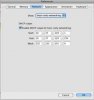
But the network connection is dog slow again. I've attached two screen grabs so you can see the settings.
 

Attachments

  • Picture 2.jpg
    Picture 2.jpg
    8.5 KB · Views: 10
  • Picture 3.jpg
    Picture 3.jpg
    7.2 KB · Views: 4
I also notice that internet radio (Internet Radio widget by WU) keeps cutting out when the Parallels adapters are installed. If I disable them then everything's fine.

Well, I posted a ticket over a week ago as you suggested and no ones even looked at it. It's a shame as we've used Parallels for about two years and were about to upgrade to version 3. We've now switched to Sun's Virtual Box, which runs everything faster and we have no problems - and it's FREE.
 
Last edited:
Yes we've used the previous versions for years and were going to upgrade to version 3 as we'd upgraded the Macs. We were testing Parallels 3 and had it worked OK we would have bought the licenses.
 
Same Problem for me. Parallels is a well conceived program but the network-problem just makes it unuseable :/
 
Now we're using the free Sun Virtualbox which does everything we want but isn't quite as integrated as the Parallels version.
 
Thanks for the hint, but we tried all of that and more and it didn't resolve the issue. It was new Leopard install (after format) with a fresh install of Parallels 3 and a brand new XP VM. Tried Shared networking and various options nothing worked.

I concluded it was something to do with your network drivers as everything stopped working when they were installed whether Parallels was running or not and worked fine once I disabled them in the Mac System Preferences. When I re-enabled them the problem immediately returned even before I'd run Parallels or started a VM.

I'm still curious as to what the resolution is despite the move to Virtualbox.
 
It is most likely a problem with Mac OS X DNS Resolver timeouts which appear when in system is present more then one ethernet adapter. When DNS-timeout occurs on the first DNS-server, Mac OS X tries the next DNS server.

But despite of this, Parallels Desktop should find a way to workaround the problem.

Does someone could help to investigate the problem?

There are several possibilities that may affect the issue:

1) It could be (but not necessary) some issue that is already fixed in some Mac OS X update. Could someone click Software Update and make the Mac OS X to have all the latest updates? It may resolve the problem.

2) It is a problem with configuration in Mac OS X of Parallels Adapters. Could someone open the Mac OS X System Preferences -> Network
a) delete the Parallels Host-Only Networking Adapter
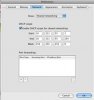
b) Select the Shared Networking Adapter, click on "Advanced", DNS and make sure that there are no any DNS servers for the Parallels Shared Networking Adapter (see the screenshot):
attachment.php


There will be other actions to try if this doesn't helps anyhow.

Thank you
 

Attachments

  • dns_config.jpg
    dns_config.jpg
    7.6 KB · Views: 42
Last edited:
Hi,

finally I found a solution for the problem: just deactivate the parallels-adapters in your network configuration and change your parallels network settings to bridged network. You won't have the long waiting time anymore and can access the internet and the network.

Greetings
soCram
 
Last edited:
Back
Top