Hi,
In an earlier thread, Problem Installing SuSE 10.1, I mentioned the problem I had performing a SuSE 10.1 install using the installation DVD. Jan Wittrodt suggested I try the CDs instead, so I did.
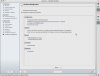
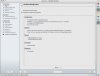
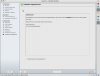
This gets me much farther, but not all the way to the end. In fact, installation proceeds smoothly until the very last step, “Hardware Configuration.†When the installer reaches this stage, it hangs. It fills out the description under “Graphics Cards†but the later ones, “Printers,†“Sound,†“TV Cards†and “Bluetooth†show only “analyzing your system.â€
At this point nothing changes. The cursor is a spinning clock face. The GUI elements (radio buttons, pop-up menus) react, but have no effect. For kicks, I suspended the VM and restarted it. The state afterward is exactly the same.
Network setup and the attempt to contact the SuSE servers for registration and updates failed, because I’ve yet to put in place the modifications required to connect the host-only network I chose to the wireless network I use routinely for this computer.
This is very tedious, given the time I spent so far and the careful package selection I made.
Does anyone have any suggestions about how to handle this situation? I’m loathe to try all over again and just end up in the same state. Does anyone know what will happen if I pull the plug on this VM now that it’s mostly but not entirely installed and configured and then reboot it again? I’ll do that as a last resort, of course, but I’d like to know I’ve tried everything I can to remedy or salvage this situation first.
Thanks.
Randall Schulz
In an earlier thread, Problem Installing SuSE 10.1, I mentioned the problem I had performing a SuSE 10.1 install using the installation DVD. Jan Wittrodt suggested I try the CDs instead, so I did.
This gets me much farther, but not all the way to the end. In fact, installation proceeds smoothly until the very last step, “Hardware Configuration.†When the installer reaches this stage, it hangs. It fills out the description under “Graphics Cards†but the later ones, “Printers,†“Sound,†“TV Cards†and “Bluetooth†show only “analyzing your system.â€
At this point nothing changes. The cursor is a spinning clock face. The GUI elements (radio buttons, pop-up menus) react, but have no effect. For kicks, I suspended the VM and restarted it. The state afterward is exactly the same.
Network setup and the attempt to contact the SuSE servers for registration and updates failed, because I’ve yet to put in place the modifications required to connect the host-only network I chose to the wireless network I use routinely for this computer.
This is very tedious, given the time I spent so far and the careful package selection I made.
Does anyone have any suggestions about how to handle this situation? I’m loathe to try all over again and just end up in the same state. Does anyone know what will happen if I pull the plug on this VM now that it’s mostly but not entirely installed and configured and then reboot it again? I’ll do that as a last resort, of course, but I’d like to know I’ve tried everything I can to remedy or salvage this situation first.
Thanks.
Randall Schulz