Install the app
How to install the app on iOS
Follow along with the video below to see how to install our site as a web app on your home screen.
Note: This feature may not be available in some browsers.
You are using an out of date browser. It may not display this or other websites correctly.
You should upgrade or use an alternative browser.
You should upgrade or use an alternative browser.
Official ubuntu-20-04-live-server does not boot
- Thread starter DragosI
- Start date
Hey there having same issue. Did you find any solutions dragos.Hi,
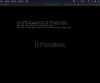
I am on Parallels Desktop 17 for Mac Pro Edition version 17.1.1 (51537) on a Macbook Pro M1 with MacOS Monterey 12.2.1. I have downloaded official ubuntu-20-04-live-server-arm64 images from the Ubuntu web site and installed them using Parallels. After the installation completes successfully, the VM reboots and then it freezes on EFI stub messages (screenshot attached). The VM is unable to boot into Ubuntu OS.
I have tried ubuntu-20-04.4-live-server-arm64.iso ubuntu-20-04.3-live-server-arm64.iso and ubuntu-20-04.2-live-server-arm64.iso, but the same behavior occurs: installation works, but it freezes when booting the installed OS.
Earlier, I was able to install and run ubuntu-20.04 under Parallels (same M1 system), but now it does not seem to work anymore. I have an older Ubuntu 20.0.4 installation and I am able to boot into it. I have not tried to update it, and I will probably wait with that until there a workaround in case it gets stuck as well.
When using the "Download Ubuntu Linux" option under the Installation Assistant, the installation works it is able to reboot. However, that does not help my use case where I need to install from the official image.
I have tried setting vm.bios.efi=0 under Hardware-->Boot order-->Advanced settings but it did not help. I also tried having the ISO "loaded" in the CD device during boot (another suggestion from your site), but that did not help either.
Looking forward to some advice on how to proceed.
Regards,
Dragos
View attachment 19325
Attachments
DebasmitaM
Forum Maven
Hello, it is an ongoing issue. The cases have been escalated to developers, and they're researching the ways how to address them. As a temporary workaround please create a new Linux Ubuntu VM from appliance and do not update it. Alternatively, feel free to downgrade the kernel to 5.13.0-25.
Hi DebasmitaM@Parallels! Is there an approximate ETA for the fix? 1 week? 1 month?
I was able to boot into a non-working installation with the new Parallels Version 17.1.2 (51548) (released today?). I was also able to install ubuntu-20.04.4-live-server-arm64 from scratch. Installing ubuntu-desktop and Parallels Tools works as well. Thanks Parallels, your fix seems to work!
DebasmitaM
Forum Maven
Hello, we have released a Parallels Desktop hotfix version 17.1.2. The Ubuntu virtual machine boot-up issue got fixed in that. Please visit this KB article to know more.I was able to boot into a non-working installation with the new Parallels Version 17.1.2 (51548) (released today?). I was also able to install ubuntu-20.04.4-live-server-arm64 from scratch. Installing ubuntu-desktop and Parallels Tools works as well. Thanks Parallels, your fix seems to work!