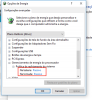
After upgrading to Parallels 12, my Windows 10 VM is using around 110-220% CPU in macOS (Activity Monitor). It's roasting my CPU to 212-219F. Even with coolers running at 5940/5500RPM.
I'm running macOS Sierra 10.12.1 (16B2555) and Parallels 12.0.2 (41353) on a top end Retina Macbook Pro from 2013 (2.7GHz i7, 16GB DDR3, 500GB SSD, GF GT650M).
I have tried to reinstall Parallels Tools as described here: http://kb.parallels.com/en/123268
Tried to create a new VM and use the same image: http://kb.parallels.com/eu/116263
Adding boot flag to disable usb mouse: https://forum.parallels.com/threads...erformance-windows-10-au-parallels-12.338065/
Uinstalling Parallels Tools lowers the VM's CPU usage to 4-30%!
Obviously there's a problem with Parallels Tools for Parallels 12.
Thoughts, ideas?
I'm running macOS Sierra 10.12.1 (16B2555) and Parallels 12.0.2 (41353) on a top end Retina Macbook Pro from 2013 (2.7GHz i7, 16GB DDR3, 500GB SSD, GF GT650M).
I have tried to reinstall Parallels Tools as described here: http://kb.parallels.com/en/123268
Tried to create a new VM and use the same image: http://kb.parallels.com/eu/116263
Adding boot flag to disable usb mouse: https://forum.parallels.com/threads...erformance-windows-10-au-parallels-12.338065/
Uinstalling Parallels Tools lowers the VM's CPU usage to 4-30%!
Obviously there's a problem with Parallels Tools for Parallels 12.
Thoughts, ideas?
Last edited: