Parallels 4.0 Tools - Mouse not installing

dmd113

Bit poster
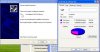
Just updated to Parallels 4.0. The installation of Parallels Tools fails (and the mouse doesn't work) with the following error.

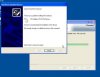
"Cannot Install this Hardware
There was a problem installing this hardware:
VM Additions PS/2 Port Mouse

An Error occurred during the installation of the device

Not enough storage is available to process this command"


There is plenty of storage available (10GB+).

Thanks,
Ryan
 

Attachments

  • windows xp.jpg
    windows xp.jpg
    11.6 KB · Views: 13
VM is infected or corrupted
try to perform Virus scan or repair
To remove splash screen
There is keys combination you can use during VM upgrade in order
to remove splash screen:
Control+Command+Option+R
 
I can get a mouse working by plugging in after the VM has started up. I've looked into it a bit more and it looks like it might be occurring because I have the old Microsoft "Virtual Machine Additions" installed (viewable in Add/Remove Programs). Looking around, I've seen many conflicts between VMA and VMWare, Parallels, etc. This isn't removable without reinstalling Windows.
 
I reinstalled Windows and everything is fine. I'm going to go out on a limb and say it was caused by the "Virtual Machine Additions"
 
Mouse not installing, too!

My Windows install is originally from a Virtual PC image and has been updated as Parallels has been updated. I also get the "Mouse Driver can not be installed message". The VM is NOT infected with a virus.

Reinstalling Windows is NOT my preferred solution. I'm *upgrading*, not starting from scratch.

Version 3.0 didn't seem to have a problem with previous Virtual PC images. Version 4.0 advertises compatibility with VPC:

From http://www.parallels.com/products/desktop/upgrade/:
"New Users: Have a non-Parallels Desktop for Mac virtual machine? Easily migrate a Fusion, VirtualBox or Virtual PC VM to the best virtual home on the market. Convert!"
 
@John@Parallels

Not sure what "VPC compatibility since version 7.2" means. I started with VPC, then converted the VM in Parallels 2, upgraded to Parallels 3 and finally upgraded to Parallels 4. The mouse worked fine this morning in V3, but when I upgraded to V4, the mouse problems occurred.

Any idea why V3 didn't have a problem with legacy VPC references, yet V4 does?

Any suggestions other than "start from scratch"?

I'll post the problem to MacFixit.com, TUAW.com and MacNN.com to see if anybody else has a suggestion...
 

Attachments

  • Not enough storage.jpg
    Not enough storage.jpg
    25 KB · Views: 5
I also upgraded from Virtual PC and it worked fine in Parallels 2 and 3. Now upgrading to 4 I have these same problems: 1) It can't share the mouse and Keyboard with the Mac. I have to unplug the mouse and re-plug it to get the dialog asking if I want to use it on Mac or Windows. 2) The same error message about "VM Additions PS/2 Port Mouse".

I have plenty of hard drive capacity available and plenty of memory. I tried upping memory to 2Gb but it didn't help Now I'm upping the drive partition to 32GB.
 
I found a solution!

I used Parallels transporter to convert the Hard Drive of the non-working Virtual Machine into a new Virtual Machine.

This solved BOTH the mouse and keyboard problems AND the error with "Not enough storage is available to process this command".
 
Coherence Issue

My problem is slightly different, but still bothersome.

Since upgrading yesterday, I can't control the mouse/pointer when in Coherence mode. Full screen and Window modes work appropriately. I did not have this problem in version 3.0.

Any thoughts? Am I missing something?

Thanks,

Michael
 
Mouse is totally bust for me.

BootCamp. XP. IMac. 10.5.5

It either doesn't work, or the click doesn't work. V4 is totally bust
 
Back
Top