Parallels Desktop will not open

MichaelO9

Bit poster
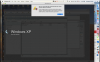
When trying to open Parallels 10, I receive error message that says
"An error occurred when working with this virtual machine physical memory." After reporting problem I was directed to a help page that said I should run rebuild of Parallels 10, which I did. It made no difference and I keep getting the same error message.
 
We have received your response in an e-mail, to which you've attached a screenshot. Henceforth, please post your responses in this thread directly.
IssueScreenshot.PNG
As for the issue, please follow these steps and let us know if that helps (the given article might be for an older Parallels version, but the steps themselves still apply).
 
Unfortunately, it worked the first time, but then reverted to the same behavior with the same error message when I tried re-opening Parallels a second time.
We have checked the screenshots you have shared in the email and found that the pvm file is moved or deleted from its location. We suggest you to search the Finder for the pvm file and open it.
 
Well, not sure what I did, but it seems to be working fine now. Thank you. I just posted another small issue which has been occurring for a while now but lets me proceed.
 
I' having the same issue please advise on how to correct.
 

Attachments

  • Screen Shot 2019-12-12 at 4.17.54 PM.jpg
    Screen Shot 2019-12-12 at 4.17.54 PM.jpg
    54.8 KB · Views: 3
Back
Top