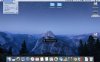
Parallels DT 12 on Mac OS 10.12.4

nanoplane

Bit poster
Yes, it's a beta version of Mac OS Sierra..
And since I've installed the MacOS update, Parallels won't start properly.
I get an oval "button" in the middle of the screen showing "Parallels Desktop" with a spinning icon..
Activity Monitor shows active Parallels Services and Parallels Desktop
Dock Icon is active but Quit doesn't work.
Application menu sort of shows up... (only Parallels Desktop and Help Menus)...

Problem report # 148687049
 
Hi nanoplane, thanks for reporting us! As many other software vendors, Parallels Development team is working on the required tweaks to make sure you can run Parallels Desktop on macOS Sierra beta 10.12.4. However, the screenshot show that Parallels Desktop is not responding. We suggest you force quit and reopen Parallels Desktop and let us know how it works.
 
Hey @PeterSRQ, @Martinv2
- Please open Activity monitor from your Mac force stop Parallels Desktop and Windows virtual machine.
- Start Windows virtual machine and force stop from Mac menu Actions > Stop http://bit.ly/1OfR3td then start Windows virtual machine.
Keep us posted the result. If the issue still persists, please share a screenshot.
 
Hi guys,
Please let us know whether unable to start Parallels Desktop or Windows virtual machine with a spinning wheel.
Could you please share a screenshot of the issue.
 
This is all I get and then Parallels closes. Unable to Start Parallels.
 

Attachments

  • Screen Shot 2017-02-06 at 9.44.06 AM.jpg
    Screen Shot 2017-02-06 at 9.44.06 AM.jpg
    687.7 KB · Views: 9
I'm able to start parallels after trying about 5 o 6 times, it's always stuck on the parallels desktop box with the spinning circle and then crashes, after 5 or 6 times trying it finally opens the control center, then when i launch a virtual machine it works correctly but gives me a critical error screen and tells me that network adapter 0 is not connected, however it works fine but without internet, it may be a problem with the latest sierra update, maybe in the next parallels update it would be solved.
 
I have the same issue the day after upgrading OS X. Here is how I solve this problem.
1 Apple menu, open Force Quit window (keep it open)
2 Launch parallels, you will see Parallels desktop shown on the window
3 Choose PD and force quit.
4 Relaunch PD and then hopefully it works (it worked for me, anyway)
Cheers!
 
I have the same issue the day after upgrading OS X. Here is how I solve this problem.
1 Apple menu, open Force Quit window (keep it open)
2 Launch parallels, you will see Parallels desktop shown on the window
3 Choose PD and force quit.
4 Relaunch PD and then hopefully it works (it worked for me, anyway)
Cheers!
Thanks a lot for sharing this!
 
Hi, Support team, I have the same issue for wheel spinning only after I upgrade the MACOS to 10.12.5. The PD version I using is 12.0.5, don't have any solution of it and I have search in the forum for long time. Some one can share any idea to solve it? Thanks in advance.
 
Hi, Support team, I have the same issue for wheel spinning only after I upgrade the MACOS to 10.12.5. The PD version I using is 12.0.5, don't have any solution of it and I have search in the forum for long time. Some one can share any idea to solve it? Thanks in advance.
Hello ShaoJ, could you please share few screenshots of the issue?
 
Back
Top