purduepete
Bit poster
Running build 15048.
To install this build had to uninstall Parallels Tools first.
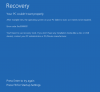
After reinstalling Parallels Tools go the DXGKRNL.SYS BSOD.
Wasn't able to fix directly using either of the options described here. However, managed to boot by ...
1) Booted into Safe Mode
2) Ran MSCONFIG
* Disabled both Parallels Services
4) Rebooted successfully in normal (not Safe) mode
5) Ran MSCONFIG
* Set/Checked "No GUI Boot" and "Base Video"
7) Rebooted in normal mode
8) Ran MSCONFIG
* Enables both Parallels services
9) Rebooted in normal mode
10) All seems OK for the present.
The above process may work without the step to disable Parallels services using MSCONFIG, but that didn't seem to work for me. That said, I realised after the fact that at first I hadn't't run MSCONFIG using Admin mode.
Thanks for the fix Peter, this solved my problem.