
Joe_Bertram
Bit poster
Hi,
Let me try and qualify the topic clearly to avoid misinterpretation:
1. Running a windows vista 32bit vm (was) on Mavericks 10.9.5
2. Parallels update asks to 'update' so naturally I do this. (confident as no issues have ever occurred in the past)
3. Upgrade goes fine.
4. VM reboots and spits out an error, the VM crashes and immediately reboots. I did not have time to catch the error code, however:
5. upon reboot, the VM simply tells me that I need to install the CD and run repair tools. A system driver is missing. (pc.sys or pcsys.sys cannot exactly remember)
6 VM is reconfigured to boot from the vista CD and the repair is successfully completed.
7. VM reboots and all is normal - except:
a. the mouse cursor is not moving across the screen, either with an external mouse or the trackpad
b. Parallel tools fails to install - It doesn't matter if I run it directly from the .iso or use the parallels menu to install it, it simply reaches about 66% (curiously just after the USB ethernet driver is 'successfully' installed) and goes kaput.
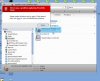
The 'troubleshooting solutions' link doesn't work either - even when manually entered into safari.
Anyone got a solution?
Let me try and qualify the topic clearly to avoid misinterpretation:
1. Running a windows vista 32bit vm (was) on Mavericks 10.9.5
2. Parallels update asks to 'update' so naturally I do this. (confident as no issues have ever occurred in the past)
3. Upgrade goes fine.
4. VM reboots and spits out an error, the VM crashes and immediately reboots. I did not have time to catch the error code, however:
5. upon reboot, the VM simply tells me that I need to install the CD and run repair tools. A system driver is missing. (pc.sys or pcsys.sys cannot exactly remember)
6 VM is reconfigured to boot from the vista CD and the repair is successfully completed.
7. VM reboots and all is normal - except:
a. the mouse cursor is not moving across the screen, either with an external mouse or the trackpad
b. Parallel tools fails to install - It doesn't matter if I run it directly from the .iso or use the parallels menu to install it, it simply reaches about 66% (curiously just after the USB ethernet driver is 'successfully' installed) and goes kaput.
The 'troubleshooting solutions' link doesn't work either - even when manually entered into safari.
Anyone got a solution?

