pls help..

RadoslavV1

Bit poster
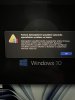
when installing w10 I always get this message about firmware and uefi, I can't figure out where to enable it .. installation of w10 fails, can't start .. so please advise what to do with it, i have the latest version of parallels pro..

pls help..
 

Attachments

  • IMG_8913.JPG
    IMG_8913.JPG
    830.5 KB · Views: 52
when installing w10 I always get this message about firmware and uefi, I can't figure out where to enable it .. installation of w10 fails, can't start .. so please advise what to do with it, i have the latest version of parallels pro..

pls help..
Hi, in the screenshot the error message is in your native language. Kindly translate it in English over here so that we can understand the issue better and help you out.
 
The secure boot feature prevented the operating system from starting. Secure Boot has detected unauthorized changes to the firmware, operating system, or UEFI drivers. You can manage secure boot settings in the virtual machine configuration. Click on the hardware and expand the advanced settings section.

Installation of windows 10 arm, macbook M1 for max 14 "arm 2021
 
Hello,

I am experiencing an issue with Parallels Desktop on my Mac.

My virtual machine running Windows 11 was working normally until yesterday. However, today it fails to start and shows the following error:

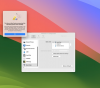
"The Secure Boot feature prevented the operating system from starting. The Secure Boot policy settings in the firmware could not authenticate the code. Check the Secure Boot policy in Setup."

I did not make any manual changes to the virtual machine configuration. The issue appeared अचानक (possibly after an update or system restart).

I have checked the VM configuration, but I cannot find or modify the Secure Boot setting.

Could you please assist in resolving this issue?

Thank you.
 

Attachments

  • image (8).png
    image (8).png
    212.4 KB · Views: 13
Same Issue on my side in Windows 11 after a MS update in the VM, I have tested with "Select boot device on startup" on and off,
Off -> same issue, On -> I cannot decativate within Bios
using M1 processor - can you please assist in resolving this?
Thanks
 
I'm having an issue similar to BatuA.... Windows VM started acting strangely a few days ago. After some period of inactivity I wouldn't bo able see cursor in Windows, couldn't close open file explorer or application windows, couldn't close apps. Tried restarting Windows to no effect. Tried shutting down Windows apps from Mac Activity Monitor with no success whether attempting to 'Quit' or 'Force Quit' the individual applications. Could restart the laptop from Apple menu and get Windows working again, but only temporarily. It would invariably freeze again. After a few freeze / restart cycles I can no longer restart Windows at all. Get a Parallels Desktop error message: "The Secure Boot feature prevented the operating system from starting. Secure Boot found unauthorized changes to the firmware, operating system, or UEFI drivers. To manage Secure Boot settings, go to the virtual machine configuration settings, click Hardware, and expand Advanced Settings." I've tried to follow the guidance in the Parallels Desktop error message, but there's nothing obvious in Advanced Settings to change or correct.

How can I get back the ability to use my virtual machine??
 
Hi, i have exact same issue. VM started lagging a few days ago. Yesterday was working ok but today when I try to run the VM i get
Secure Boot found unauthorised changes to the firmware, operating system, or UEFI drivers. To manage Secure Boot settings, go to the virtual machine configuration settings, click Hardware, and expand Advanced Settings.
 
I'm having an issue similar to BatuA...
Few minutes aga, this morning:
After windows 11 update and reboot cycle : it fails to start and shows the following error
"The Secure Boot feature prevented the operating system from starting. The Secure Boot policy settings in the firmware could not authenticate the code. Check the Secure Boot policy in Setup."

Macbook M3

Who can help us?
 
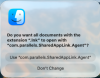
Yeah. I'm having the same issue after upgrading my MacBook M$ yesterday to Tahoe 26.5. Restarting the computer didn't help. I'm also getting the message: Do you want all documents with the extension ".lnk" to open with "com.parallels.SharedAppLink.Agent"? when I start Parallels now. Choosing either option doesn't help.
 

Attachments

  • Screenshot 2026-05-13 at 8.13.58 AM.png
    Screenshot 2026-05-13 at 8.13.58 AM.png
    91.7 KB · Views: 2
@GabrielL4 You are a gentleman and a scholar! Thank you, this worked for me as well. Would really appreciate some of the parallels staff monitoring these forums to help resolve issues in a timely manner, especially when multiple users are experiencing the same problems.
 
Back
Top