
Hi
I have installed the application and it works (v10.5 b1359) (Debian install), however when i try to connect to a 2012 RDP server i get the below error box, these same settings work find in Remmina... I have removed the real domain name for securty, also i have tried the IP address with the same result.
Tried in Gateway and Direct (same error)
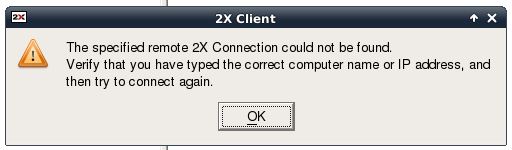
"The specified remote 2X connection could not be found.
Verify that you have typed the correct computer name or IP address, and then try to connect again"
ERROR
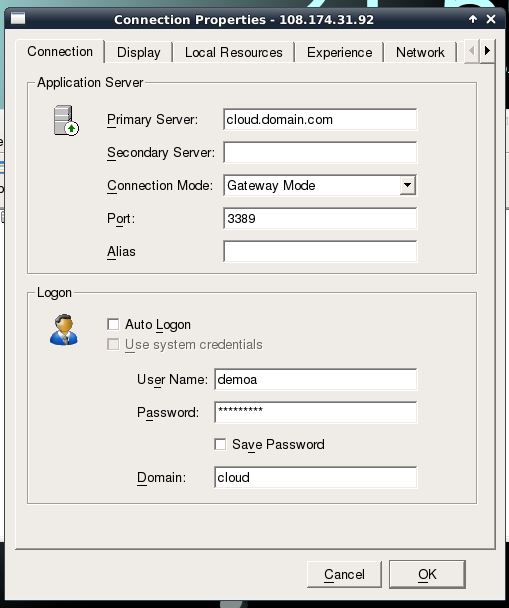
SETTINGS
I have installed the application and it works (v10.5 b1359) (Debian install), however when i try to connect to a 2012 RDP server i get the below error box, these same settings work find in Remmina... I have removed the real domain name for securty, also i have tried the IP address with the same result.
Tried in Gateway and Direct (same error)
"The specified remote 2X connection could not be found.
Verify that you have typed the correct computer name or IP address, and then try to connect again"
ERROR
SETTINGS