Remove parallels windows applications that still remain on my mac

SergeyO1

Bit poster
Hi, I used this guide http://kb.parallels.com/en/123880 to uninstall parallels

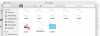
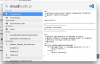
now I still have few issues with associated apps in my system Screen Shot 2017-03-09 at 08.25.33.png
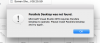
opening the file causes this error Screen Shot 2017-03-09 at 08.28.56.png

spotlight gives inconsistent results Screen Shot 2017-03-09 at 08.31.42.png

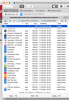
and I found some apps are still in this folder Screen Shot 2017-03-09 at 08.25.59.png

how do I fix this issue properly?

Thanks
 
Hi Sergey01,
You can also download, extract and execute this uninstaller utility: Parallels Desktop Uninstaller. This utility will remove Parallels Desktop with all its cache and system files, except for the licensing information. Your virtual machines won't be affected if they are stored in the usual location: ~/Users/[username]/ or ~/Users/Shared/
This utility is not registered by Apple, therefore to run this utility you will need to do the following:
1. Open 'Downloads' folder in Finder
2. Locate the Parallels Desktop Uninstaller.zip
3. Double-click on the archive to extract the app
4. Press Control(Ctrl) key and click on the app
5. Click Open and one more time select Open from the pop-up dialog.
 
Thanks Paul,
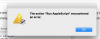
this script is not launching, OS X Sierra 10.12.2
Screen Shot 2017-03-09 at 20.16.45.png
also you might want to fix the url in the post above (in case someone will find this post via search) - it has duplicated http in the href attribute:
Screen Shot 2017-03-09 at 20.20.28.png
 
Thanks Paul,
this script is not launching, OS X Sierra 10.12.2
View attachment 12261
also you might want to fix the url in the post above (in case someone will find this post via search) - it has duplicated http in the href attribute:
View attachment 12262
Thanks for your suggestion, SergeyO1. Alternatively, you can try the following steps to remove all the traces of Parallels Desktop:
1. Quit Parallels Desktop.
2. Launch Terminal application (Applications > Utilities > Terminal).
Execute the following commands separately (one by one):
sudo su
NOTE: You will be prompted to enter your Mac password after executing the first command. Due to security measures you won't be able to see the password itself, just type it in and hit return/Enter.
rm -rfd /System/Library/Extensions/prl*

rm -rfd ~/Library/Preferences/com.parallels*

rm -rfd ~/Library/Preferences/parallels

rm -rfd ~/Library/Parallels

rm -rfd ~/Library/Saved\ Application\ State/com.parallels.desktop.console.savedState

rm -rfd /Library/logs/parallels.log

rm -rfd /Library/Preferences/Parallels/

rm -rfd /private/var/db/Parallels/

rm -rfd /private/var/.parallels_swap

rm -rfd /private/var/db/receipts/'com.parallels*'

rm -rfd /private/var/db/Parallels/Stats

rm -rfd /private/var/root/library/preferences/com.parallels.desktop.plist

rm -rfd ~/Applications\ \(Parallels\)/

rm -rfd /Applications/Parallels\ Desktop.app/
3. Restart the Mac.
 
Hi Paul, I launched all commands (after that terminal was terminated on restart if that matters)
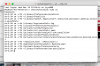
Screen Shot 2017-03-19 at 09.00.53.png
but that didnt helped with files associations and parallels applications
Screen Shot 2017-03-19 at 09.22.21.png
Then I manually removed the directory mentioned in 1st post with parallels applications from here
/Users/okhotnikserhii/Applications (Parallels)/{edcf0d9f-895b-42f6-a3ac-e3e8e29a03c9}
The associations seems to be going away (after system restart I sometimes see them in spotlight, but then system updates it accordingly so when I search for the same file one more time association is gone)
Is there anything else I should check/remove?
 
Last edited:
Hi SergeyO1, I hope you have removed all the files which are related to Parallels Desktop. Please let us know if you have any questions in the product and we are here to help!
 
Back
Top