Thanks Paul,
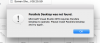
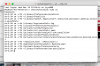
this script is not launching, OS X Sierra 10.12.2
View attachment 12261
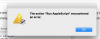
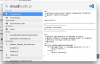
also you might want to fix the url in the post above (in case someone will find this post via search) - it has duplicated http in the href attribute:
View attachment 12262
Thanks for your suggestion, SergeyO1. Alternatively, you can try the following steps to remove all the traces of Parallels Desktop:
1. Quit Parallels Desktop.
2. Launch Terminal application (Applications > Utilities > Terminal).
Execute the following commands separately (one by one):
sudo su
NOTE: You will be prompted to enter your Mac password after executing the first command. Due to security measures you won't be able to see the password itself, just type it in and hit return/Enter.
rm -rfd /System/Library/Extensions/prl*
rm -rfd ~/Library/Preferences/com.parallels*
rm -rfd ~/Library/Preferences/parallels
rm -rfd ~/Library/Parallels
rm -rfd ~/Library/Saved\ Application\ State/com.parallels.desktop.console.savedState
rm -rfd /Library/logs/parallels.log
rm -rfd /Library/Preferences/Parallels/
rm -rfd /private/var/db/Parallels/
rm -rfd /private/var/.parallels_swap
rm -rfd /private/var/db/receipts/'com.parallels*'
rm -rfd /private/var/db/Parallels/Stats
rm -rfd /private/var/root/library/preferences/com.parallels.desktop.plist
rm -rfd ~/Applications\ \(Parallels\)/
rm -rfd /Applications/Parallels\ Desktop.app/
3. Restart the Mac.