The virtual machine processor was reset by the operating system

Here's my report ID: 102770614
Hi Mark17, while Parallels Development Team is working on the permanent fix, please disable hybrid shutdown as a temporary workaround:
1. Start Parallels Desktop.
2. Launch virtual machine.
3. Create a snapshot: from Mac menu bar choose Actions > Create snapshot.
4. Press command button to bring Start menu and type cmd.
5. You will see Command Prompt in suggestions, right-click on it and choose Run as Administrator.
6. In Command Prompt type powercfg -h off and hit Enter/Return.
7. Check the behavior.
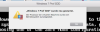
 
Same issue. HOST: "MacOSX 10.11.5, Parallels 11.2.0 (32581)" GUEST: "Windows 10 Pro Insider Fast Ring Build 14342.rs1.release.160506-1708"
Not really a big deal, as I just click OK and the message goes away with no known impact.
I have tried all of the suggestions above minus a re-install. Pretty sure I would have activation issues if I did that.

Hi tin omen, while Parallels Development Team is working on the permanent fix, please disable hybrid shutdown as a temporary workaround:
1. Start Parallels Desktop.
2. Launch virtual machine.
3. Create a snapshot: from Mac menu bar choose Actions > Create snapshot.
4. Press command button to bring Start menu and type cmd.
5. You will see Command Prompt in suggestions, right-click on it and choose Run as Administrator.
6. In Command Prompt type powercfg -h off and hit Enter/Return.
7. Check the behavior.
 
This worked for me. Also, since turning off hybrid shutdown, my numlock state from boot up is now on again. No need to turn on numlock before typing in my pin.

Thanks!
 
Dang, didn't work for me, I sent a technical report.
Mark
Hi Mark17, while Parallels Development Team is working on the permanent fix, please disable hybrid shutdown as a temporary workaround:
1. Start Parallels Desktop.
2. Launch virtual machine.
3. Create a snapshot: from Mac menu bar choose Actions > Create snapshot.
4. Press command button to bring Start menu and type cmd.
5. You will see Command Prompt in suggestions, right-click on it and choose Run as Administrator.
6. In Command Prompt type powercfg -h off and hit Enter/Return.
7. Check the behavior.
 
Here's my report ID: 102770614
Hi, please follow the steps mentioned below to fix the issue:
1.Shut down the virtual machine and open its configuration.
2.Switch to Hardware tab and choose Boot Order menu.
3.Expand Advanced Settings menu and insert the following flag in the Boot flags textbox:
kernel.report_hibernate=0
4.Close configuration window and check the behavior.
 
i didn't see the message above, so i did this, and it seems to be working:
1) set travel mode to "never"
2) uncheck "pause windows when possible"
I'll see if this works for a while, and then got back to default settings and try your suggestion, sound ok?
 
I have tries everything mentioned here. Resets 20 times during the working day. Everytime I leave the computer and anyting remotly connected to powersaving resets the virtual machine. Is this bug for real!?!! It's the most important business application for a Mac user. It has been like this for a couple of weeks.
And a bug like this makes me consider swapping to VMware.
 
i didn't see the message above, so i did this, and it seems to be working:
1) set travel mode to "never"
2) uncheck "pause windows when possible"
I'll see if this works for a while, and then got back to default settings and try your suggestion, sound ok?
Great! Thank you for the workaround. We will check it in our lab and update it.
 
It seems I have a similar problem after a rutine updating of Windows 7 on my Parallels Desktop 12. I have tried the above mentioned solutions with no result. Even tried upgrading to Parallels 13. On loading Windows the error message below appears, and the system shuts down and enter Windows Error Recovery. Only solution is to start in safe mode.
------
Windows 7" was restarted.
The virtual machine processor was reset by the operating system.
 
It seems I have a similar problem after a rutine updating of Windows 7 on my Parallels Desktop 12. I have tried the above mentioned solutions with no result. Even tried upgrading to Parallels 13. On loading Windows the error message below appears, and the system shuts down and enter Windows Error Recovery. Only solution is to start in safe mode.
------
Windows 7" was restarted.
The virtual machine processor was reset by the operating system.
Hello PeterW22, Kindly follow the instructions from this link and check if it helps.
 
Hi there, I've the same problem. A Windows 7 machine shows the errormessage after booting (in german) "Windows 7 Prof. wurde neugestartet. Der Prozessor der Virtuellen Maschine wurde vom Betriebssystem zurückgesetzt.
My mac is up to date and I also run the latest version of parallels. Any ideas?
2018-04-15_11-29-16.png
 
Hi there, I've the same problem. A Windows 7 machine shows the errormessage after booting (in german) "Windows 7 Prof. wurde neugestartet. Der Prozessor der Virtuellen Maschine wurde vom Betriebssystem zurückgesetzt.
My mac is up to date and I also run the latest version of parallels. Any ideas?
View attachment 13835
Looks very similar. Actually I have two iMac's with the same ailment. My other machines running lower versions of Parallels don't have any problems. I truly hope for a speedy recovery because it's bad for my business.
 
I have tow macbooks at home, both 10.13.4 with the latest Parallels 13.3.0. My one is running and my gilrlfriends isn't.
 
Back
Top