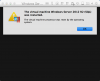
The virtual machine processor was reset by the operating system

JieL1

Bit poster
since the last update of parallels 10 I am not able to start my vm from any snapshots.
the error message is "The virtual machine processor was reset by the operating system".
reinstall parallels 10 or upgrade to parallels 11 doesn't help.
guest operating system is Windows Server 2012 R2
host operating system is El Capitan 10.11.1
 
Hi Dhruba, thanks for your reply. I've stopped and started the vm many times and killed all the parallels processes before I start the vm.
The problem is, I can still start the vm from some of the snapshots, but if I then want to restart the vm, the same error message appears.
If I shutdown the vm and make a snapshot, I cannot start from the snapshot anymore, same error message.
 
I have same problem and try next process.
My environment is el capitan and windows 2012 R2. 2011 MBP.
First kill the windows 2012 vm on activity monitor.
Second change windows 2012 vm configuration.
Hardware -> Boot Order and check select boot device on startup.
My case is worked.
Optional. I changed On Windows close suspended to shutdown. <- I think It make some problem.
 
Hi Dhruba, thanks for your reply. I've stopped and started the vm many times and killed all the parallels processes before I start the vm.
The problem is, I can still start the vm from some of the snapshots, but if I then want to restart the vm, the same error message appears.
If I shutdown the vm and make a snapshot, I cannot start from the snapshot anymore, same error message.
Hi Jiel, please share a screenshot of the error, so that we can check it for you! Thanks!
 
Hi PaulChris, I've also had this problem since upgrading and raised a ticket with Support about it, but never got a resolution. I've uploaded an image of the error message for you. Subsequent Parallels 11 updates have not resolved the issue either. It appears that every Windows OS VM I have that was created in Parallels 10 suffers from this issue in Parallels 11. I have Win 7, Win 8.1 and Windows Server 2012 VM's that were created in Parallels 10 that are effectively broken in Parallels 11. Removing Parallels tools, restarting, powering down completely, doesn't fix the problem. Rolling back to Parallels 10, all these VM's work fine. A VM can be restored to a previous snapshot in Parallels 11 and run successfully until you shutdown or reboot, where the problem returns. The only permanent solution I've found so far is to recreate the VM completely from scratch in Parallels 11. This is obviously a problem with regard to Windows licensing in the VM and is not an ideal solution. Happy to provide any logs etc. to help find the root cause.
 

Attachments

  • Parallels VM Fail To Boot.png
    Parallels VM Fail To Boot.png
    84 KB · Views: 17
Hi Dhruba, here's the ticket number - 2165067. I first saw this issue when trying to upgrade my Windows 8.1 VM to Windows 10 following the documented process from your support page. I believe this was left at the point where the support engineer was requesting a remote session to connect to my machine for further troubleshooting. I travel a lot for work, so was unable to dedicate the time to do this.

Since posting the other day, I've tried looking again at this problem with fresher eye's to try and narrow down a pattern. I've spent a good number of hours over the last few days trying different scenarios and appear to have narrowed things down to the EFI option under the Hard Drive advanced options. In a correction to my previous post, my Windows 7 VM does not suffer from this issue (and doesn't have EFI enabled), but my Windows 8.1, Windows Server 2008 and Windows Server 2012 R2 VM's do. These all appear to have EFI enabled by default. I also tried to build a brand new Windows Server 2012 R2 VM as I needed one for testing, and after doing a clean build, this VM suffered the same issue after around the third Windows Update reboot cycle. This VM also has EFI enabled by default. This is the first time I've seen this on a fresh VM built in Parallels 11, as all the Windows 10 and Linux VM's I have for testing work fine. Once a VM suffers this problem, it will never boot properly again until you restore it from backup.

For further info; I did manage to get a copy of all these faulty VM's working by disabling the EFI option and then reinstalling the OS from the ISO file. When disabling EFI, no boot device can be found and startup repair doesn't work, so a reinstall of the OS was necessary. All VM's are now working fine and can be happily rebooted all day long without running in to the 'Processor reset' issue. Hence me thinking that this is a bug when using EFI with the above version of Microsofts OS.

Cheers.
 
Hi Dhruba, here's the ticket number - 2165067. I first saw this issue when trying to upgrade my Windows 8.1 VM to Windows 10 following the documented process from your support page. I believe this was left at the point where the support engineer was requesting a remote session to connect to my machine for further troubleshooting. I travel a lot for work, so was unable to dedicate the time to do this.

Since posting the other day, I've tried looking again at this problem with fresher eye's to try and narrow down a pattern. I've spent a good number of hours over the last few days trying different scenarios and appear to have narrowed things down to the EFI option under the Hard Drive advanced options. In a correction to my previous post, my Windows 7 VM does not suffer from this issue (and doesn't have EFI enabled), but my Windows 8.1, Windows Server 2008 and Windows Server 2012 R2 VM's do. These all appear to have EFI enabled by default. I also tried to build a brand new Windows Server 2012 R2 VM as I needed one for testing, and after doing a clean build, this VM suffered the same issue after around the third Windows Update reboot cycle. This VM also has EFI enabled by default. This is the first time I've seen this on a fresh VM built in Parallels 11, as all the Windows 10 and Linux VM's I have for testing work fine. Once a VM suffers this problem, it will never boot properly again until you restore it from backup.

For further info; I did manage to get a copy of all these faulty VM's working by disabling the EFI option and then reinstalling the OS from the ISO file. When disabling EFI, no boot device can be found and startup repair doesn't work, so a reinstall of the OS was necessary. All VM's are now working fine and can be happily rebooted all day long without running in to the 'Processor reset' issue. Hence me thinking that this is a bug when using EFI with the above version of Microsofts OS.

Cheers.
Hi Steven, we see that one of our Engineers have requested you to schedule a remote session. However, it was not completed as you were not available. We request you to raise a support ticket once again so that we can have a look and help you resolve the issue.
 
Hi Dhruba, OK I'll look to raise a ticket about this again. As mentioned previously, I may not have the time to dedicate to a remote session due to work commitments, so hopefully there are some diagnostic logs or something that can be used to assist with troubleshooting.
 
Same issue. HOST: "MacOSX 10.11.5, Parallels 11.2.0 (32581)" GUEST: "Windows 10 Pro Insider Fast Ring Build 14342.rs1.release.160506-1708"
Not really a big deal, as I just click OK and the message goes away with no known impact.
I have tried all of the suggestions above minus a re-install. Pretty sure I would have activation issues if I did that.
 
I also get the error "The virtual machine processor was reset by the operating system". Mine only seems to occur when I'm on battery power. 2014 Macbook air. 8MB ram. Win 10 build 14352, parallels desktop 11.2.0.
 
Same issue. HOST: "MacOSX 10.11.5, Parallels 11.2.0 (32581)" GUEST: "Windows 10 Pro Insider Fast Ring Build 14342.rs1.release.160506-1708"
Not really a big deal, as I just click OK and the message goes away with no known impact.
I have tried all of the suggestions above minus a re-install. Pretty sure I would have activation issues if I did that.
Hi, we are currently working on it with our Development. Unfortunately, we do not have ETA for the fix, it has been prioritized appropriately and you can track the changes in the product at http://kb.parallels.com/123410
 
Back
Top