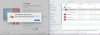
i got the same bug?Hello guys, looks like it's a know issue and Parallels Engineering Team are currently working on it.
We will update you once we get any news.
Thank you for cooperation with us.
is there any new process?

Follow along with the video below to see how to install our site as a web app on your home screen.
Note: This feature may not be available in some browsers.
i got the same bug?Hello guys, looks like it's a know issue and Parallels Engineering Team are currently working on it.
We will update you once we get any news.
Thank you for cooperation with us.

Hello,i got the same bug?
is there any new process?
I've just send the technical data log,ID is 351458665Hello,
Parallels Engineering Team are working on the resolution.
They are continually working on issue that are escalated from our Support Team; however do not share an ETA for fix until one is available.
Thanks a lot for the provided information.I've just send the technical data log,ID is 351458665
Hello,Hello guys, we would like to inform you that Parallels Desktop update 16.1.0 has been release recently.
Please update your Parallels Desktop version to the latest build and check the issue.
Please share any results with us.

Hello, could you please make a screenshot of the issue and collect the tech report once the issue reproduced please?Hello,
it didn't help.
Marek
Hi Maria,Hello, could you please make a screenshot of the issue and collect the tech report once the issue reproduced please?
Hi, please sorry for the delay in response, did you update your Parallels Desktop to the latest build, 16.1.1?@Maria@Parallels Hi Maria,
It's been two weeks already since my post - maybe You could give us any news/updates on the topic?
Thanks!
Anton
Hi, @Maria@ParallelsHi, please sorry for the delay in response, did you update your Parallels Desktop to the latest build, 16.1.1?
Could you collect the tech report once the issue reproduced please and post the report's ID here?Hi, @Maria@Parallels
I did, but the problem still persists. I get the same message when I try to open VM archive (pvmp)
Cheers,
Anton
CONGRATULATIONS!!!Here's a workaround that worked for me:
- Move the pvmp and sha256.txt files somewhere safe.
- Create a new vm with the exact same name as the one you are trying to restore. It just needs to be created. You can immediately abort the OS install (Actions/Stop).
- Prepare the new vm for transfer in Parallels Desktop Control Center.
- In finder, move the pvmp and sha256.txt files from #1 over the files created in #3, replacing the new files.
- In Parallels Desktop Control Center, right click on the vm and "Open Package". Wait for the unpacking to complete.
- In Parallels Desktop Control Center, right click on the vm and remove it.
- In finder, double click the now-restored pvm directory. This will open in Parallels Desktop Control Center.
- Use as normal.
Hello, please check this KB article for more information and let us know if it's not that case.HI, I'm in Control center and it packaged my virtual Windows machine in time machine. How can I unpack it? I have several files on there I need