Hiya.
I get
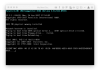
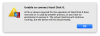
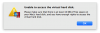
"Unable to connect Hard Disk 0" error when I use Parallels 12 with Windows 10 Bootcamp after updating from Sierra to High Sierra. Additionally I can't seem to shut down the VM as it is in an endless startup loop, which means I can't change settings for Parallels Desktop. Anyone has a work around for this?
I can't seem to find anything on it.
Any help would be really appreciated!
Cheers,
Henrik
I get
"Unable to connect Hard Disk 0" error when I use Parallels 12 with Windows 10 Bootcamp after updating from Sierra to High Sierra. Additionally I can't seem to shut down the VM as it is in an endless startup loop, which means I can't change settings for Parallels Desktop. Anyone has a work around for this?
I can't seem to find anything on it.
Any help would be really appreciated!
Cheers,
Henrik