
Install the app
How to install the app on iOS
Follow along with the video below to see how to install our site as a web app on your home screen.
Note: This feature may not be available in some browsers.
You are using an out of date browser. It may not display this or other websites correctly.
You should upgrade or use an alternative browser.
You should upgrade or use an alternative browser.
Windows 10 Stuck at ' Scanning and Repairing Drive (C): 100% Complete
- Thread starter BhavnishW
- Start date
thasks... they should have a KB article for thisHI! I just contacted support for this same problem. Here's what they had me do, and it worked:
from parallels mac menu bar: Actions: Take Snapshot
Actions: Stop
then wait a moment and start the machine and the back up should continue from there.
HI! I just contacted support for this same problem. Here's what they had me do, and it worked:
from parallels mac menu bar: Actions: Take Snapshot
Actions: Stop
then wait a moment and start the machine and the back up should continue from there.
@ColleenF - that worked for me too! Thanks for sharing and saving me a ton of time troubleshooting!
Can you help me out? I'm having the exact same issue for the last 4 days (straight). I'm not exactly understanding the directions. Please give additional detail.Thank you ColleenF - that worked perfectly!
In advance... Thanks so much!
Can you help me out? I'm having the exact same issue for the last 4 days (straight). I'm not exactly understanding the directions. Please give additional detail.@ColleenF - that worked for me too! Thanks for sharing and saving me a ton of time troubleshooting!
In advance... Thanks so much!
Not sure if this means: The Top right Toolbar area? Sorry.... I just don't understand the instructions. Please help...HI! I just contacted support for this same problem. Here's what they had me do, and it worked:
from parallels mac menu bar: Actions: Take Snapshot
Actions: Stop
then wait a moment and start the machine and the back up should continue from there.
Windows 10 Stuck at ' Scanning and Repairing Drive (C): 100% Complete
Can someone help me out? I'm having the exact same issue for the last 4 days (straight). I'm not exactly understanding the directions. Please give additional detail.
In advance... Thanks so much!
I see this response but don't understand it?
*** From parallels mac menu bar: Actions: Take Snapshot
Actions: Stop
then wait a moment and start the machine and the back up should continue from there.
Is this the Parallels Tool bar in the top right corner?
Can someone help me out? I'm having the exact same issue for the last 4 days (straight). I'm not exactly understanding the directions. Please give additional detail.
In advance... Thanks so much!
I see this response but don't understand it?
*** From parallels mac menu bar: Actions: Take Snapshot
Actions: Stop
then wait a moment and start the machine and the back up should continue from there.
Is this the Parallels Tool bar in the top right corner?
This fix worked for me as well. Thank you very much.HI! I just contacted support for this same problem. Here's what they had me do, and it worked:
from parallels mac menu bar: Actions: Take Snapshot
Actions: Stop
then wait a moment and start the machine and the back up should continue from there.
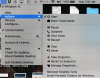
You can disable Windows 10 update by setting up a metered connection. In the start, open the Windows Settings app (Win + I) and tap on the option that says Network & Internet. Now launch 'Wi-Fi' and tap the option that says Manage known networks. In the end, choose the network and in 'Properties' toggle the 'Set as metered connection' options to 'On'. By doing that you will be able to disable the Windows 10 update option easily. For further solutions, you can see https://appuals.com/fix-windows-10-update-1709-fails-install/ this website.
I just had this issue for the first time today too. For some reason, when I started up Windows 10 this morning it said it had to repair the disk, and it ran through the process, but then got stuck at 100% and never progressed to the login screen. The above suggestion to take a snapshot, hit Stop, and start back up worked for me as well!
(To be clear, I didn't have to revert to the snapshot afterwards - I just started up the VM normally. So I'm not sure if that step is actually relevant to resolving the problem, or if all you really need to do is stop the VM and start it again).
I'm running Parallels 16.5.1 on macOS Big Sur 11.5.1, and Windows 10 Pro 20H2 (build 19042.1110).
(To be clear, I didn't have to revert to the snapshot afterwards - I just started up the VM normally. So I'm not sure if that step is actually relevant to resolving the problem, or if all you really need to do is stop the VM and start it again).
I'm running Parallels 16.5.1 on macOS Big Sur 11.5.1, and Windows 10 Pro 20H2 (build 19042.1110).