raphaelweb
Bit poster
Will Parallels be making 8.1 preview available to the Windows 8 virtual machine? I tried to download over the VM from the MS website, but that method will not work. Thanks!

Follow along with the video below to see how to install our site as a web app on your home screen.
Note: This feature may not be available in some browsers.
Thank you ShermanH !!! I remember trying to use SpeedDownload to manage the download but Microsoft's website wouldn't allow it and I didn't check the SHA sum. It was only a partial download as it turns out. Which is so odd because the install started correctly and gave an error message that seemed to make sense given my situation.
Anyway, I redownloaded, checked the SHA and it was correct. Ran through a quick install and voila!!!!


How are you guys able to get it to install? I never see options for 64 bit or express install.
Here is what I do:
File -> New... -> Install Windows or another OS from DVD or image file -> Continue
-> Install From: [pick list, I select my .iso file downloaded from Microsoft] -> Continue
Automatic detection failed. Please select your operating syste: [pick list, I select Windows 8]
How do you want your windows programs to work? [I select Like a PC] -> Continue
Select name, location -> Continue
Then I see the fish and the rotating balls.
Then I select Language, time, keyboard, etc -> Next -> Install Now
Then I see "Setup is starting"
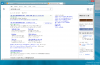
Then this:
View attachment 6990
From there I can't really do anything else so I cancel out.
This is on a Retina MacBook Pro with the latest build of MacOS and Parallels 8.
What is going on?
It seems like there is a missing driver in Parallels.
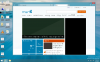
Try enable/disable directx.