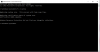
Hi, I'm experiencing the same problem and have followed instructions from both of your posts but keep getting this message after reinstalling Parallels Tools:You are very welcome, feel free to reach us any time, we are here to help you.
Windows cannot access \\psf\Home\Desktop
Check the spelling of the name. Otherwise, there might be a problem with your network. To try to identify and resolve network problems, click Diagnose.
Check the spelling of the name. Otherwise, there might be a problem with your network. To try to identify and resolve network problems, click Diagnose.
When I click "diagnose," I get a message that says "Problems found One or more network protocols are missing on this computer" with no other options but to close the Windows Network Diagnostics.
I have the new Windows 10 Insider Preview and Parallels Desktop 10.2.1 installed on my Yosemite