Parallels 11.2.3
macOS High-Sierra
Windows 10
I've spent the last 7 hours reading and trying to solve this problem without luck.
Parallels configuration shows 200GB expanding disk. File size of the PVM is 69.17GB. Update consistently fails claiming it needs more space to download updates. I have a 3TB HD that has 1.75TB available. I do not partition the disk.
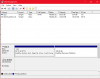
When I look at Windows storage it shows 174GB of the 200GB as System & reserved. I keep all files on my Mac so there is very little other space used - less than 20GB. There is nothing more that I can eliminate for additional space.
Should I be doing something else in sizing the HD? I'm reluctant to "reset" windows without a better understanding of
I only use the Windows machine for limited functions - not a daily occurrence so there are a lot of updates needed. It seems that the ones failing are the "Feature Updates". The cumulative updates, after many tries, seem to have successfully installed.
I've tried "all" of the ideas in this Installation and Configuration section on this subject (none that have to do with partitioning).
Anybody have thoughts?
Thanks in advance for your help.
macOS High-Sierra
Windows 10
I've spent the last 7 hours reading and trying to solve this problem without luck.
Parallels configuration shows 200GB expanding disk. File size of the PVM is 69.17GB. Update consistently fails claiming it needs more space to download updates. I have a 3TB HD that has 1.75TB available. I do not partition the disk.
When I look at Windows storage it shows 174GB of the 200GB as System & reserved. I keep all files on my Mac so there is very little other space used - less than 20GB. There is nothing more that I can eliminate for additional space.
Should I be doing something else in sizing the HD? I'm reluctant to "reset" windows without a better understanding of
I only use the Windows machine for limited functions - not a daily occurrence so there are a lot of updates needed. It seems that the ones failing are the "Feature Updates". The cumulative updates, after many tries, seem to have successfully installed.
I've tried "all" of the ideas in this Installation and Configuration section on this subject (none that have to do with partitioning).
Anybody have thoughts?
Thanks in advance for your help.