Julio.Bouza
Bit poster
Are you able to get Location Services to work in VMWare?

Follow along with the video below to see how to install our site as a web app on your home screen.
Note: This feature may not be available in some browsers.
I was able to update a 10.8 VM to 10.9 by following directions on a post in the Apple Developer forums:
I cloned a 10.8 VM and configured it with 2 processors, 2GB of memory, and 64MB video memory.
Then I copied the 10.9 Install app onto the VM's Desktop, double-clicked it and it all went smoothly.
Afterwards I reconfigured it to 4 processors, 6GB memory, and 256MB video memory, and it seems to be working fine.
I can confirm this works. Using this configuration and the instructions from the Pastebin link provided earlier, I've found it's also possible to do a clean install of 10.9. However, the installer must be called from the terminal as the instructions state.
How do you do that? I went through the Parallels wizard to do the install, but it seems to be hanging on a grey boot screen, with a picture of a CD saying "OS X Install ESD".
Maybe I need to create the VM differently..
hmm, it seems I'm just stuck in the Parallels boot screen. If I type, I get a boot: command.

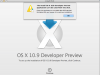
I have tried about 100 times and cant get past a screen telling me that my install wont work - can anyone help - or maybe - let me download a copy of their pvm file??
View attachment 6921
thanks heaps.
I'm having an issue with the new dev release of Maverick.
I created a 10.8 vm and upgraded the vm to Maverick, but it doesn't boot, it just sits there at the dark grey apple logo and eats all my memory
Has anyone been able to get a Maverick vm working?
