Running Mac OS X Mavericks 10.9 in Parallels Desktop 8 for Mac Virtual Machine

Solution that worked for me

I was able to update a 10.8 VM to 10.9 by following directions on a post in the Apple Developer forums:

I cloned a 10.8 VM and configured it with 2 processors, 2GB of memory, and 64MB video memory.

Then I copied the 10.9 Install app onto the VM's Desktop, double-clicked it and it all went smoothly.

Afterwards I reconfigured it to 4 processors, 6GB memory, and 256MB video memory, and it seems to be working fine.
 
I can confirm this works. Using this configuration and the instructions from the Pastebin link provided earlier, I've found it's also possible to do a clean install of 10.9. However, the installer must be called from the terminal as the instructions state.
 
This seems to work in Parallel. I was able to install it. I did keep it with the 2 processor, 2GB of memory and 64MB video. Location Services are enabled but they don't work. I might need to check my firewall configs.
 
I was able to update a 10.8 VM to 10.9 by following directions on a post in the Apple Developer forums:

I cloned a 10.8 VM and configured it with 2 processors, 2GB of memory, and 64MB video memory.

Then I copied the 10.9 Install app onto the VM's Desktop, double-clicked it and it all went smoothly.

Afterwards I reconfigured it to 4 processors, 6GB memory, and 256MB video memory, and it seems to be working fine.

I can also confirm that I'm past the gray screen by changing the spec configurations. It's installing as we speak.
 
I can confirm this works. Using this configuration and the instructions from the Pastebin link provided earlier, I've found it's also possible to do a clean install of 10.9. However, the installer must be called from the terminal as the instructions state.

How do you do that? I went through the Parallels wizard to do the install, but it seems to be hanging on a grey boot screen, with a picture of a CD saying "OS X Install ESD".

Maybe I need to create the VM differently..
 
How do you do that? I went through the Parallels wizard to do the install, but it seems to be hanging on a grey boot screen, with a picture of a CD saying "OS X Install ESD".

Maybe I need to create the VM differently..

hmm, it seems I'm just stuck in the Parallels boot screen. If I type, I get a boot: command.
 
hmm, it seems I'm just stuck in the Parallels boot screen. If I type, I get a boot: command.
You may want to check the settings (Configuration) for the VM. I, too, originally had problems with the Grey Screen and boot: message. Adjust the settings to use 2 CPU's, and the Video to have 64mb available (minimum). Mine is going through the final stages of install right now with those settings fixed.

-John
 
I have managed to install Mavericks OS X 10.9 on to Parallels Desktop 8.

I first installed Mountain Lion OS X 10.8.4, then before booting up Mountain Lion I changed the Video Configurations for the Virtual Machine to 128 instead of the default of 256. Once that was done, I logged in to Mountain Lion OS X 10.8.4 opened the App Store and logged in with my Developers User Name and ID. The next step was to go to the purchases tab where it shows Mavericks OS X 10.9, Hit download and installed as an upgrade in the usual way.
 
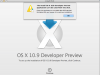
I have tried about 100 times and cant get past a screen telling me that my install wont work - can anyone help - or maybe - let me download a copy of their pvm file??


Screen Shot 2013-06-17 at 10.40.59 AM.png

thanks heaps.
 
10.9 Developer Preview Working in Parallels 8 VM

I'm having an issue with the new dev release of Maverick.
I created a 10.8 vm and upgraded the vm to Maverick, but it doesn't boot, it just sits there at the dark grey apple logo and eats all my memory :)

Has anyone been able to get a Maverick vm working?


Hi All,

Yes I have managed to get it working after having the same issue as above.

Just increase the video RAM applied to the VM from the default 32MB to 128MB. I did this prior to reverting to the snapshot of 10.8, then ran the install for the Dev Preview and it ran through perfectly.

Hope that helps out.

SSF
 
Back
Top