Dear Team,
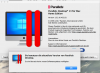
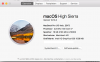
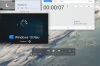
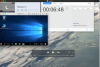
since my upgrade on High Sierra and Desktop 13 (see attached config of my Computer and Parallels) the start of a virtual machine takes ages (in Detail >6 mins). I took a screenshot with a clock running (see attached photos) to prove my experience. This is, politely speaking, a very inconvenient situation. I found numerous threads, e.g. dealing with enabling USB support (which I did), but no final solution for the problem. Of course I did a restart of the VM and of the Mac...
I really appreciate an early response
A not too happy customer
Felix
since my upgrade on High Sierra and Desktop 13 (see attached config of my Computer and Parallels) the start of a virtual machine takes ages (in Detail >6 mins). I took a screenshot with a clock running (see attached photos) to prove my experience. This is, politely speaking, a very inconvenient situation. I found numerous threads, e.g. dealing with enabling USB support (which I did), but no final solution for the problem. Of course I did a restart of the VM and of the Mac...
I really appreciate an early response
A not too happy customer
Felix