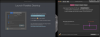
I recently purchased the OEM version of Parallels Desktop 14 along with a new MacBook Pro which is running macOS v10.14. I've done a clean install of all apps and data with no issue until my attempt to install Parallels. During the installation process there's a requirement to allow access to "Parallels International GmbH" in Security & Privacy settings. Unfortunately, "Parallels International GmbH" is not listed as an option anywhere in any of the categories listed in the Privacy tab.
I have done an extensive search and cannot locate such a file on my Mac in order to do a manual installation. I have also downloaded the trial version of Parallels, but experienced the same issue.
Any assistance will be greatly appreciated...
I have done an extensive search and cannot locate such a file on my Mac in order to do a manual installation. I have also downloaded the trial version of Parallels, but experienced the same issue.
Any assistance will be greatly appreciated...