
Install the app
How to install the app on iOS
Follow along with the video below to see how to install our site as a web app on your home screen.
Note: This feature may not be available in some browsers.
You are using an out of date browser. It may not display this or other websites correctly.
You should upgrade or use an alternative browser.
You should upgrade or use an alternative browser.
Parallels in Catalina: I can't write to a Mac folder.
- Thread starter 한근영
- Start date

S
Sathiya@Parallels
Hi. On Mac menu bar click on Apple logo > System Preferences > Security & Privacy > unlock settings > on the left side scroll down and select Full Disk Access menu > on the right side put checkmark for Parallels Desktop. Then restart the virtual machine and check if it works as expected.I don't write desktop, download, documents, picture
popup display "You need permission to modify this action."
but i can write music folder, movies folder
Does anybody have the same problem? Does anybody know how to solve it?
I set it as you said, but still can't.Hi. On Mac menu bar click on Apple logo > System Preferences > Security & Privacy > unlock settings > on the left side scroll down and select Full Disk Access menu > on the right side put checkmark for Parallels Desktop. Then restart the virtual machine and check if it works as expected.

Maria@Parallels
Problem solver
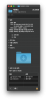
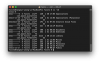
Hi, please right click on this folder, choose "properties" and make a screenshot of this window and share it with us please.I set it as you said, but still can't.
Thanks in advance.


Everything works great!Hi. On Mac menu bar click on Apple logo > System Preferences > Security & Privacy > unlock settings > on the left side scroll down and select Full Disk Access menu > on the right side put checkmark for Parallels Desktop. Then restart the virtual machine and check if it works as expected.
Yes, I did that. But still no.
New OS and parallels 15 works fine at first.
At some point during use, the desktop, downloads, documents, and pictures folders of the user folder are read but not written. The same is true if I delete parallels 15 and install it again.After all, with a fresh OS and parallels 15, it works fine at first.
OS laid catalina.
New OS and parallels 15 works fine at first.
At some point during use, the desktop, downloads, documents, and pictures folders of the user folder are read but not written. The same is true if I delete parallels 15 and install it again.After all, with a fresh OS and parallels 15, it works fine at first.
OS laid catalina.
Maria@Parallels
Problem solver
Hi, please provide us with the detailed issue description. Technical report data and screenshots will be very helpful.Parallels Team:
I have the exact same problem as above. What was the resolution to this problem?
I have the same problem. Win7 in Parallels will not "save" to a Mac iCloud folder. It does, but it's been intermittent, and now, I've double checked my settings, as DESCRIBED ABOVE, and it's working now. I changed NOTHING, only checked that the "checkmarks" for Parallels Desktop were there, they were. (I had already done this ages ago), Not sure why it works now. Maybe just opening up that dialogue did something?
Maria@Parallels
Problem solver
Hi, what is your Parallels Desktop and macOS version?I have the same problem. Win7 in Parallels will not "save" to a Mac iCloud folder. It does, but it's been intermittent, and now, I've double checked my settings, as DESCRIBED ABOVE, and it's working now. I changed NOTHING, only checked that the "checkmarks" for Parallels Desktop were there, they were. (I had already done this ages ago), Not sure why it works now. Maybe just opening up that dialogue did something?
Maria@Parallels
Problem solver
Hello, please sorry for the delay in response. Did you try the same with the latest Parallels Desktop 16 version?I spoke too soon, the problem has arisen again.
The files I'm working with will now not save in the Mac Directory.. they will save fine in any windows directory.
Sigh
I'm happy with Parallels 14. Are you giving me a free upgrade to 16 version?
This is an intermittent problem and won't go away if I pay more money to upgrade.
I've temporarily fixed the issue by going to directory "Info", and changing all the permissions to "read and write" and adding "administrator" permission and making that "read and write"
This is an intermittent problem and won't go away if I pay more money to upgrade.
I've temporarily fixed the issue by going to directory "Info", and changing all the permissions to "read and write" and adding "administrator" permission and making that "read and write"
SOLVED! I did: On Mac menu bar click on Apple logo > System Preferences > Security & Privacy > unlock settings > on the left side scroll down and select Full Disk Access menu > on the right side put checkmark for THE PROGRAM I'M USING IN WIN7. Clicking on Parallels Desktop is good, but going for the actual program you're having trouble with solved my issue.