Hot GPU causing MacBook Pro fans to run high most of the time

Hello Maria, the article you suggested is about CPU, not GPU! That's a total different story.

In the meanwhile I figured out, that the DirectX10 option is forcing the GPU to permanent work. Seems to be a big bug in Parallels. If I disable DX10, the machine keeps cool and fan noise is gone. But since I also need to work with CAD tools that requires DX10, this is not a permament solution. I'm using 15" MBP 2018 i9 with 6-Cores; 32GB of Ram and VEGA20 GPU option. I didn't try Intel GPU yet, but it won't be an option for me anyway.

How do you disable DX10? Try searching online but no straight forward answer
 
I frequently have issues with parallels causing my mac to run hot. I have a 2019 MBP with 6 cores. What I've noticed is that the prl_disp_service takes up 7-15% of my CPU resources even when no apps are running in the guest windows VM, and much more when I'm actually doing work. This can lead to the fans kicking in.

Maybe there's no solution to this, since virtualization is obviously not free from a computational standpoint. But one thing I've done to help keep the laptop cooler and the fans quieter is to install Turbo Boost Switcher Pro from http://tbswitcher.rugarciap.com/. What this does is let you disable the turbo boost option on your MBP CPUs, which helps keep the peak CPU frequency down, and hence the CPU temp lower, which keeps the fans from kicking in. You lose a little performance, but you probably won't notice it unless you're doing really CPU-intensive tasks. And you can switch it on and off whenever you want, so if you suddenly need peak performance you can re-enable turbo boost instantly.
 
Hi - I have this issue too. I've been using parallels for 8 years with no issues and long battery life in my macbook 15 inch, but on buying a 16inch Macbook and running Parallels 15/16, the software is heating up my machine and eating my battery significantly.
Has anyone found a solution?
 
Same here, running a top confg mac pro, the built in keyboard gets so hot, I can't touch it. Fans running all the time.
I am thinking of dropping Parallels, and going back to bootcamp.

upload_2020-10-12_2-17-1.png
 

Attachments

  • upload_2020-10-12_2-16-43.png
    upload_2020-10-12_2-16-43.png
    40.5 KB · Views: 1
Switched to Bootcamp, it is much better. The resources on my machine are better utilised, and performance difference is considerable.
 
I'm using a brand new install of Paralells 16.1.2-49151. I'm using a fairly new 16" MacBook pro. When I load by BootCamp Windows installation into Paralells, my processory is running VERY hot and the fans are running non-stop.
 
I'm using a brand new install of Paralells 16.1.2-49151. I'm using a fairly new 16" MacBook pro. When I load by BootCamp Windows installation into Paralells, my processory is running VERY hot and the fans are running non-stop.
Try checking Task Manager in Windows to see if there are any rogue processes - that was my issue even in a clean and legitimate install of Windows.
 
Hello.

I have the same issue, when i work with parallels using two displays (external display + macbook) the processor increase the temperature and the fans are running non-stop.

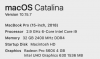
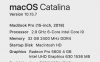
Specs:
upload_2021-3-10_21-30-30.png

upload_2021-3-10_21-39-32.png

Fans:
upload_2021-3-10_21-37-7.png


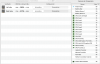
Process Consumption in Mac:
upload_2021-3-10_21-38-44.png

Process Consumption in Windows 10 (Parallels):
upload_2021-3-10_21-40-33.png

Parallels config:
upload_2021-3-10_21-42-53.png

There is no reason for this to happen, it is clear that this is an excessive resource consumption problem in Parallels when used in full screen with an external monitor and the mac screen.

Do you have a solution for this?
 

Attachments

  • upload_2021-3-10_21-39-18.png
    upload_2021-3-10_21-39-18.png
    8.6 KB · Views: 2
Hello.

I have the same issue, when i work with parallels using two displays (external display + macbook) the processor increase the temperature and the fans are running non-stop.

Specs:
View attachment 17467

View attachment 17471

Fans:
View attachment 17468


Process Consumption in Mac:
View attachment 17469

Process Consumption in Windows 10 (Parallels):
View attachment 17472

Parallels config:
View attachment 17473

There is no reason for this to happen, it is clear that this is an excessive resource consumption problem in Parallels when used in full screen with an external monitor and the mac screen.

Do you have a solution for this?
Hi, Moisés. This is more related to your MBP than to Parallels, I own exactly same MBP model like you (only difference being my GPU with 8GiB). Check on next links:
You have an option to help cooling your VRM and avoid this fan craziness (I did it and works):
Buena suerte.
 
Back
Top