
Install the app
How to install the app on iOS
Follow along with the video below to see how to install our site as a web app on your home screen.
Note: This feature may not be available in some browsers.
You are using an out of date browser. It may not display this or other websites correctly.
You should upgrade or use an alternative browser.
You should upgrade or use an alternative browser.
High cpu usage due to bsdtar process
- Thread starter CarlB7
- Start date

Maria@Parallels
Problem solver
Hello,At the request of Parallels, I re-enabled Toolbox and have been running it all day. Since I had reported the bsdtar problem I have restarted, so bsdtar was not running. And now, at the end of the day, bsdtar is still not running. So it would appear that the latest version does fix the problem. My explanation for why it was still an issue for me is that, probably, while Toolbox was going through its update gyrations from an earlier version (I believe it incrementally auto-updated three times), one of those versions started it up and left it as a zombie process.
Thanks a lot for sharing this feedback with us.
Please ping us here if the issue reoccurs again.
Maria@Parallels
Problem solver
Could you collect the tech report once it reoccurs and share it here?The issue is occurring for me still
Maria@Parallels
Problem solver
Please sorry my bad, and use this link in order to create tech report.How do I get the tech report? I can send a screenshot of all the bsdtars maybe?
PatrickM24
Bit poster
Same issue here.
After booting my machine today I noticed its fans kept spinning. Sure enough: a lot of bsdtar processes were running, and running, and running.
I have not even used Parrallels after booting my machine.
The toolbox extension was loaded in the Mac OS extension bar, but it claimed to be 'not active'.
After quitting the toolbox, more bsdtar processes were started! (1 for every processor core?)
Finally I had to use Activity Monitor to terminate all these processes and get on with my day.
After booting my machine today I noticed its fans kept spinning. Sure enough: a lot of bsdtar processes were running, and running, and running.
I have not even used Parrallels after booting my machine.
The toolbox extension was loaded in the Mac OS extension bar, but it claimed to be 'not active'.
After quitting the toolbox, more bsdtar processes were started! (1 for every processor core?)
Finally I had to use Activity Monitor to terminate all these processes and get on with my day.
Attachments
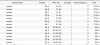
Let us know the Parallels Toolbox and macOS version you are using to check and assist.Same issue here.
After booting my machine today I noticed its fans kept spinning. Sure enough: a lot of bsdtar processes were running, and running, and running.
I have not even used Parrallels after booting my machine.
The toolbox extension was loaded in the Mac OS extension bar, but it claimed to be 'not active'.
After quitting the toolbox, more bsdtar processes were started! (1 for every processor core?)
Finally I had to use Activity Monitor to terminate all these processes and get on with my day.
PatrickM24
Bit poster
I'm using Parallels Toolbox Version 2.0.4 (1219). I states that this is the latest version
I'm Parallels 16.1.1 (49141) on macOS 10.15.7 (19H15)
This was actually not the first time I ran into this problem. I've seen it at least once before since I updated to macOS 10.15 / Parallels 16 about a month ago.
I'm Parallels 16.1.1 (49141) on macOS 10.15.7 (19H15)
This was actually not the first time I ran into this problem. I've seen it at least once before since I updated to macOS 10.15 / Parallels 16 about a month ago.
The latest version of Parallels Toolbox for Mac is 4.1.0. It seems you are using the older version which you have received with the Parallels Desktop 12 on the latest macOS X that is causing the issue. With the Parallels Desktop 16, you have got a three-month Parallels Toolbox subscription which is good till January 2021 use it to activate the latest version.I'm using Parallels Toolbox Version 2.0.4 (1219). I states that this is the latest version
I'm Parallels 16.1.1 (49141) on macOS 10.15.7 (19H15)
This was actually not the first time I ran into this problem. I've seen it at least once before since I updated to macOS 10.15 / Parallels 16 about a month ago.
I have a subscription to Parallels and have the latest version 16 installed. I had the parallel tools installed and have had to force quit multiple bsdtar processes that are running on multiple occasion. Annoyed me enough today to start searching - surprised this problem has been ongoing for over a year with no clear solution.
I was using the tools version 2.0.4 but uninstalled it to load the Mac version referenced above - apparently my subscription doesn't cover those tools?? It downloads and loads and then says the tools are not supported by my key...
I am running Windows 8 and MacOS 10.15.7 (Catalina)
Do I really need additional licenses to run the a version of Mac Tools that works? Assuming it works and eliminates the problem with random bsdtar processes consuming the processor.
Thanks,
John.
I was using the tools version 2.0.4 but uninstalled it to load the Mac version referenced above - apparently my subscription doesn't cover those tools?? It downloads and loads and then says the tools are not supported by my key...
I am running Windows 8 and MacOS 10.15.7 (Catalina)
Do I really need additional licenses to run the a version of Mac Tools that works? Assuming it works and eliminates the problem with random bsdtar processes consuming the processor.
Thanks,
John.
Maria@Parallels
Problem solver
Hello, do you have Parallels Desktop 16 subscription?I have a subscription to Parallels and have the latest version 16 installed. I had the parallel tools installed and have had to force quit multiple bsdtar processes that are running on multiple occasion. Annoyed me enough today to start searching - surprised this problem has been ongoing for over a year with no clear solution.
I was using the tools version 2.0.4 but uninstalled it to load the Mac version referenced above - apparently my subscription doesn't cover those tools?? It downloads and loads and then says the tools are not supported by my key...
I am running Windows 8 and MacOS 10.15.7 (Catalina)
Do I really need additional licenses to run the a version of Mac Tools that works? Assuming it works and eliminates the problem with random bsdtar processes consuming the processor.
Thanks,
John.
My account summary indicates I have -Parallels Desktop for Mac Pro Edition good through June 2021. It indicates I have a tools license as well. I was under the impression this provided me with the latest and greatest of both Parallels and the Toolbox...Hello, do you have Parallels Desktop 16 subscription?
Maria@Parallels
Problem solver
Hello, what is your Parallels Toolbox version?I have the same problem. I sent a technical report to parallels.
Also unfortunately without report's ID we won't be able to find your tech report...
If you decide to investigate and resolve the issue please reproduce the issue, collect the tech report once again an share the report's ID here.
Maria@Parallels
Problem solver
Hi, what is your Parallels Toolbox version?I've just send a problem report, ID: 362532463 - thank you for reaching out to my e-mail!
Hi, what is your Parallels Toolbox version?
I can't respond to that right now since my Mac is in the repair shop with it's keyboard (thanks Apple...) but Maria@Parallels, are you sure it's not visible in the problem report?
Maria@Parallels
Problem solver
You've provided us with the Parallels Desktop tech.report. But we also need your Toolbox version.I can't respond to that right now since my Mac is in the repair shop with it's keyboard (thanks Apple...) but Maria@Parallels, are you sure it's not visible in the problem report?
Could you provide us with it once possible please?
Maria@Parallels
Problem solver
Thanks a lot for sharing this, the bsdtar process issue has been resolved at the 3.5 Toolbox version.I have Toolbox V 2.6.1 with Parallels 16.1.3 using Windows 10 on a 2019 Retina iMac running Big Sur 11.2.3 and after rebooting end up with 10 to 12 bsdtar processes running simultaneously I have to force quit. Any suggested solution ?
Could you test the same behavior with the latest Parallels Toolbox version please?