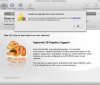
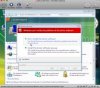
I have upgraded both my XP and Vista virtual machines. I ran in to the same problem on both while upgrading. The big splash that comes up during the tools installs blocks the screen so i can't see the problems that cause the upgrade to fail. I then restart the tools install and am able to get them installed and the upgrade to finish. There should be an option not to have the virtual machine screen covered with the advertisements and feature enhancement information while an upgrade process is taking place. The user should be able to interact with the guest OS while the tools install takes place in case responding to a dialog is required.
There is also the issue of Windows trying to deal with the 'new' devices it finds. The instructions should be very expilict about doing those first or canceling them.
The other item is the documentation. I went to http://www.parallels.com/support/desktop/documentation/ and did not see updated docs for 4.0 and they were not included on the dmg. There appears to be new options in configuration (advanced) that do not appear to be addressed in the older documentation.
There is also the issue of Windows trying to deal with the 'new' devices it finds. The instructions should be very expilict about doing those first or canceling them.
The other item is the documentation. I went to http://www.parallels.com/support/desktop/documentation/ and did not see updated docs for 4.0 and they were not included on the dmg. There appears to be new options in configuration (advanced) that do not appear to be addressed in the older documentation.