
Install the app
How to install the app on iOS
Follow along with the video below to see how to install our site as a web app on your home screen.
Note: This feature may not be available in some browsers.
You are using an out of date browser. It may not display this or other websites correctly.
You should upgrade or use an alternative browser.
You should upgrade or use an alternative browser.
Allow Parallels Extension
- Thread starter appleseed
- Start date
DebasmitaM
Forum Maven
Hello, can you please provide us with more information on the issue you are facing with Parallels Desktop?Hello Everyone,
I have parallels business edition 17, I run my vm and it asks "Allow parallels extension" But when I got to security and privacy nothing there to allow it. Has anyone run into this?
Hello, can you please provide us with more information on the issue you are facing with Parallels Desktop?
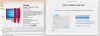
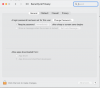
Sure, when I run the application and try to launch my virtual machine and I've upgraded from parallels 16 this started. I've attached a picture of the error and my settings. I'm on Big Sur at the moment, I've removed it completely with app cleaner and reinstalled it but still same issue.
Attachments
DebasmitaM
Forum Maven
Hello, please refer to this KB article and change the hypervisor type from Parallels to Apple.Sure, when I run the application and try to launch my virtual machine and I've upgraded from parallels 16 this started. I've attached a picture of the error and my settings. I'm on Big Sur at the moment, I've removed it completely with app cleaner and reinstalled it but still same issue.
DebasmitaM
Forum Maven
Hello, your most welcome.Thank you! This worked!
Hi,
I also have a problem with Allow Parallels Extension but of a different nature. I have Big Sur installed on NVMExpress.
In my case, the procedure is looping. Every time I approve it and restart the mac, the action is repeated. I am attaching a screenshot.
For now, I want to install Parallels 17 TRIAL.
I also have a problem with Allow Parallels Extension but of a different nature. I have Big Sur installed on NVMExpress.
In my case, the procedure is looping. Every time I approve it and restart the mac, the action is repeated. I am attaching a screenshot.
For now, I want to install Parallels 17 TRIAL.
Attachments
DebasmitaM
Forum Maven
Hello, please refer to this KB article and change the hypervisor type from Parallels to Apple.Hi,
I also have a problem with Allow Parallels Extension but of a different nature. I have Big Sur installed on NVMExpress.
In my case, the procedure is looping. Every time I approve it and restart the mac, the action is repeated. I am attaching a screenshot.
For now, I want to install Parallels 17 TRIAL.
Nazeemabanu@P
Moderator
This really helped me tooHello, please refer to this KB article and change the hypervisor type from Parallels to Apple.