I can't get my isight working in parallels since boot camp updated the isight firmware to 1.84.
The cam works just fine under bootcamp.
For reference, this is the system:
Macbook Pro
OS 10.4.9
iSight 1.84
Bootcamp 1.3
Parallels 3 (build 4128)
Windows XP Pro
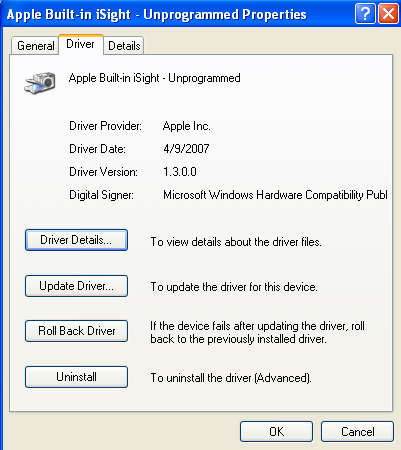
I've installed the latest bootcamp windows drivers. Every time I connect the iSight through the Parallels devices menu Windows detects the camera and then installs it as "Apple Built-In iSight - Unprogrammed." Checking properties for this device in the XP device manager reveals that "no driver is installed" for the camera. If I try to update the driver or uninstall the device, the XP device manager crashes. I can CTRL+ALT+Delete kill the device manager, but after that XP will stall out on the "Windows is shutting down" screen. Can't even force quit parallels in the Mac OS at this point. Also, OSX stalls on a blue screen if I try to shut the machine down from here. I always have to do a hard restart.
Thanks.
The cam works just fine under bootcamp.
For reference, this is the system:
Macbook Pro
OS 10.4.9
iSight 1.84
Bootcamp 1.3
Parallels 3 (build 4128)
Windows XP Pro
I've installed the latest bootcamp windows drivers. Every time I connect the iSight through the Parallels devices menu Windows detects the camera and then installs it as "Apple Built-In iSight - Unprogrammed." Checking properties for this device in the XP device manager reveals that "no driver is installed" for the camera. If I try to update the driver or uninstall the device, the XP device manager crashes. I can CTRL+ALT+Delete kill the device manager, but after that XP will stall out on the "Windows is shutting down" screen. Can't even force quit parallels in the Mac OS at this point. Also, OSX stalls on a blue screen if I try to shut the machine down from here. I always have to do a hard restart.
Thanks.