ParallelsU519
Bit poster
Is it possible to install Big Sur at the moment? When trying to install it using an installer app downloaded from the App Store Parallels says that it needs an ISO or a VHDX image instead.

Follow along with the video below to see how to install our site as a web app on your home screen.
Note: This feature may not be available in some browsers.

Hello,
macOS Big Sur is currently not supported in a virtual machine.
 Haven't you considered this would be what people maybe do test as a first step?
same here ... but I also need windows10, some M$ stuff like client teams and the ability for them to "Take over my Settings" is my primary need also .. already have started using the cloning to create new client instances , now all I seen is BIGSUR and a "desktop linux" and ill be all set ... also I bought the 8GB/512GB pro as a trial .. now that I can really use it for all my work ... looks like a 16GB/1TB will be ordered ... but it will be a Air ... as I can't even get the fans to start up on this guy and the worst I can get it to do is 20% CPU utilisation whilst compacting the OS under windows ... what a difference to before on my i7 32GB model ... way to go guys great product... I guess the delay was due to checking everything on the real production hardware v the developer kits ... but well worth the waitActually, running Big Sur as guest will be my primary usage. I'm a consultant and like to create a virtual machine for each customer to avoid cluttering up my installation with customer specific tools, VPN, etc.
I managed to install Ubuntu Server for ARM and then I installed the desktop by running something likesame here ... but I also need windows10, some M$ stuff like client teams and the ability for them to "Take over my Settings" is my primary need also .. already have started using the cloning to create new client instances , now all I seen is BIGSUR and a "desktop linux" and ill be all set ... also I bought the 8GB/512GB pro as a trial .. now that I can really use it for all my work ... looks like a 16GB/1TB will be ordered ... but it will be a Air ... as I can't even get the fans to start up on this guy and the worst I can get it to do is 20% CPU utilisation whilst compacting the OS under windows ... what a difference to before on my i7 32GB model ... way to go guys great product... I guess the delay was due to checking everything on the real production hardware v the developer kits ... but well worth the wait
You can point to the /Application/Install Big Sur.app but it says that it is x86 and refuses to install from it. Even creating an .ISO you cannot boot from that.Is it possible to install Big Sur at the moment? When trying to install it using an installer app downloaded from the App Store Parallels says that it needs an ISO or a VHDX image instead.

Hi Suresh, I think the posters above are wanting to install MacOS Big Sur as the guest OS, not Windows 10. So, basically, they would have a Big Sur virtual machine running in the Parallels 16 for M1 tech preview. The problem is, the current version of the M1 tech preview [Version 16.3.1 (50393)] does not support this.first I registered with Windows Insider program
https://insider.windows.com/en-us/getting-started
and downloaded the below.
Windows10_InsiderPreview_Client_ARM64_en-us_20231.VHDX
then tried Parallels Technical preview...
https://www.parallels.com/blogs/parallels-desktop-apple-silicon-mac/
Now am able to run Parallels - Windows 10 on M1 Mac with Big Sur..
hope it helps..Thanks.
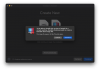
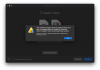
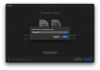 Time to boot it: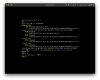
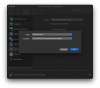
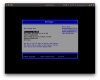

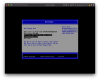 Ooh... Well this is promising! Parallels sees the disk I want to boot from. Which just happens to be a USB drive with the Big Sur installer on it.
Do you have any ETA for this? It would be very important for us. Many thanks!Hello,
macOS Big Sur is currently not supported in a virtual machine.