Can't install Parallels Tools under 11.2

SethS1

Junior Member
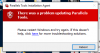
I'm about ready to pull my hair out. Tools installation dies at 69% every time. I have tried every suggested solution on the Forums with no success: (1) completely uninstall Tools, (2) completely uninstall and reinstall Parallels, (3) try to install Tools as administrator, (4) run sfc /scannow before installing Tools, (5) using the registry patch intended for Windows 7, (6) verifying adequate disk space for the VM, etc.. Please help!
Thanks.
Seth
 
Hello SethS1,
Kindly check if there is any Antivirus installed in your Windows virtual machine.
If yes then, please uninstall it completely and restart your Windows once and try to (re)install parallels tools and let us know how it works.
 
I disabled Windows Defender (it can't be uninstalled), rebooted, and tried to reinstall Parallels Tools. No change in result.
 
Hi SethS1,
Please take a snapshot before proceeding and follow the below steps:
  • Open Windows registry: Press Win+R -> type "regedit" -> hit Enter.
  • Highlight HKEY_LOCAL_MACHINE- > File -> Load Hive -> specify "c:\windows\system32\config\drivers" -> name key somehow (say 'LoadedHive')
  • Edit -> Find, specify the name of the driver (e.g. "prl_dd").
  • Delete all entries of prl_dd in the 'LoadedHeave' branch. (Note: you will need to change owner of the branch and give it permissions 'Full Control').
  • Restart virtual machine and install Parallels Tools.
 
This didn't work like you described. I loaded the hive as indicated, but FIND found nothing named prl_dd in the LoadedHive.
 
I ended up reverting to the previous version of Parallels using Time Machine, and Parallels Tools installed without a hitch. Please let me know when the newest version is ready for prime time, as I like to use the latest. It seems like Parallels often rolls out updates that aren't fully baked. Thanks.

Seth
 
Hi SethS1,
Please open Finder -> Go -> Go to Folder, then type in:
~/Library/Parallels/Downloads
and click Go
Remove the MacLook installation file present there (maclook-ir.exe.prlupd-part or native_look.exe) and try using MacLook once again.
 
Now I'm really confused. Where does MacLook enter into this? There is no such file in the referenced folder. The only file in ~/Library/Parallels/Downloads is an old ParallelsAccess installer from 2014.

Can we get back on track to get this resolved?

Thanks.
 
I submitted 3 reports last week (on May 24 and May 25) under my email address. Can you search for them? I'd prefer not to go through the whole rigmarole of installing 11.2, trying to install Tools, then having to restore the older version of Parallels from Time Machine. Thanks.
 
Hey @SethS1,
Try uninstalling Antivirus program if any or add an exception for Parallels Access to that Antivirus program.
If the issue still persists, please share your report id number.
 
I just got around to trying again to update Parallels and install Parallels Tools. I am getting the same error. Problem report ID is 103323165.
Thanks.
 
Hi SethS1,
Try the below steps and let us know how it goes
1. Uninstall Parallels Desktop 11 for Mac
Note: The article is also applicable for Parallels Desktop 11 for Mac & use PDRemove.zip for a complete uninstallation
2. Reinstall Parallels Desktop 11 for Mac
3. Run the registry fix here
4. Install Parallels Tools from " Run --> %temp% --> Parallels Tools Package and run setup.exe as administrator "
 
I have a very similar problem happening. It's been happening for about 2 months, not sure I can pinpoint a date or reason. Windows 10, running on MBAir with Parallels 10, which I recently upgraded to 11, hoping this would resolve the issue, which it has not.

I have followed all procedures above, including disabling Windows Defender and Antivirus. Also specifically I followed Guna's instructions through to step 4. I had problems with step 4 as the run command didn't find any installers in the temp folder. So at this stage I ran the PTAgent as administrator.

So If I run it as regular user (which is an administrator anyway) the installer reports failure around 10-15%, but if I run it as Administrator the installer gets to 60%, changes screen size, goes to 67% and pauses there for a few seconds and then reports the failure with a window requiring reboot. The result dow not seem to differ whether AV and Defender are off or on.

I'm getting rather tired of this. All for getting Dynamic Resolution and speakers back.
 

Attachments

  • Screen Shot 2016-06-13 at 1.12.56 PM.png
    Screen Shot 2016-06-13 at 1.12.56 PM.png
    35.3 KB · Views: 4
Back
Top